


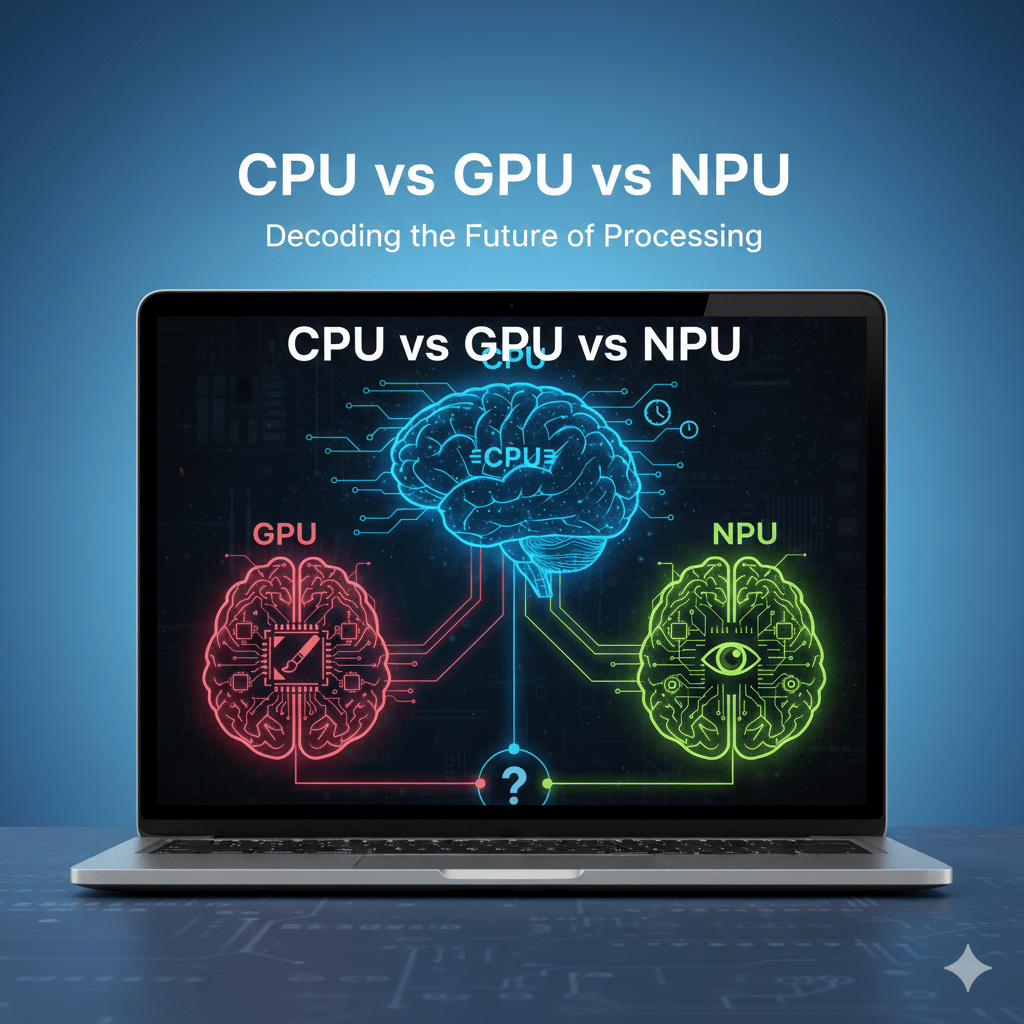
Artificial Intelligence (AI) is changing how computers are built.
For decades, most computers relied on a single processor: the CPU (Central Processing Unit). It ran applications, performed calculations, and basically controlled the entire system.
Later, in the 1990s, GPUs (Graphics Processing Units) were introduced. Originally developed to power immersive 3D gaming experiences such as Need for Speed II, GPUs were designed to perform many calculations at once, dramatically improving visual performance.
Now, a new processor has appeared alongside them: the NPU (Neural Processing Unit).
So what is an NPU?
An NPU is a specialised microprocessor designed for AI tasks such as voice recognition and real-time translation.
At their core, CPUs, GPUs, and NPUs are all types of microprocessors. They are small silicon chips that execute instructions and perform calculations inside a computer.
But how do they differ? And with growing attention around NPUs, what makes them distinct from traditional processors?
To answer that, we need to look at how each processor is designed and why AI workloads require a different type of processing power.
In this guide, we’ll explore the difference between CPU vs GPU vs NPU and explain why the NPU is becoming a key component of modern computing architecture.
What Is a CPU?
The CPU, or Central Processing Unit, is the primary processor in a computer that is responsible for executing instructions and controlling how a computer operates.
Every time you open an application, load a file, or run a Google search, the CPU interprets those instructions and carries them out. For decades, computers relied solely on the CPU, as it did almost all of the processing inside a computer.
But a CPU works best when it processes instructions step by step. This sequential approach is ideal for general-purpose software, but it becomes less efficient when thousands or even millions of calculations must be performed simultaneously.
This is where the other processors come in.
What Is a GPU?
Originally designed in the 1990s to power immersive 3D gaming experiences, the GPU (Graphics Processing Unit) was built to perform thousands of calculations simultaneously.
Think of the 90s classic Need for Speed II, which was hugely popular in Australia. Every scene displayed on the screen needed calculations for colour, lighting, and position, all at the same time.
This ability to work in parallel made GPUs essential not only for gaming, but also for video editing, animation, 3D design, and scientific modelling. Specific tools that rely heavily on GPUs include Adobe Premiere Pro and Blender (3D rendering).
Unlike a CPU, which processes one task after the other, a GPU can handle many similar calculations at once.
More recently, researchers realised that artificial intelligence required similar processing.
AI models analyse large amounts of data and perform repeated mathematical calculations to recognise patterns. Tasks like image recognition and language processing involve multiple small calculations happening simultaneously. As a result, GPUs became a key driver of modern AI development.
As AI began to move into everyday devices like laptops, a new challenge emerged. GPUs were powerful, but they were not designed specifically for low-power, real-time AI tasks.
This led to the development of a new processor: the NPU
What is an NPU?
NPU stands for Neural Processing Unit, and it was designed specifically to accelerate AI-related tasks.
On a laptop, that means faster voice recognition, real-time language translation, smarter search results, automatic image enhancements, and AI-powered productivity tools. These can all run directly on the device, reducing reliance on the cloud.
So, how is an NPU built differently?
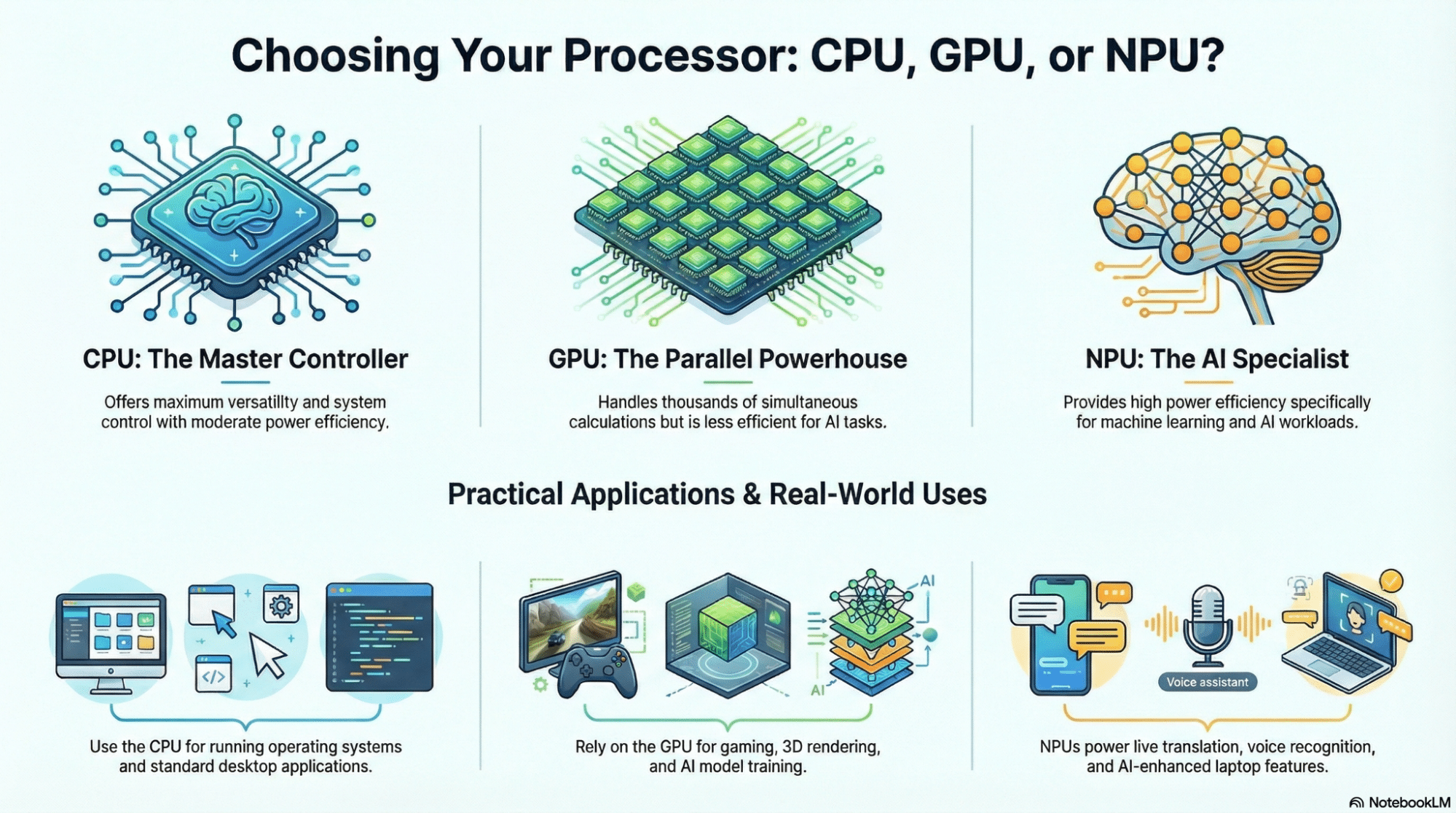
Unlike a CPU, which is designed to handle many different types of instructions, an NPU is built to focus on the kinds of calculations used in machine learning. Rather than prioritising flexibility, the NPU prioritises efficiency.
Its architecture allows it to process AI workloads with fewer unnecessary steps. In AI-powered laptops, this translates to faster response times and better battery performance while intelligent AI functions run in the background.
Importantly, the NPU does not replace the CPU or GPU. Instead, it works alongside them. Each having their own role to play.
As AI is increasingly embedded in everyday software, the NPU is becoming increasingly central to modern computing architecture.
CPU vs GPU vs NPU: Key Difference
| Processor | Designed For | Core Strength | Power Efficiency | Typical Use Case |
|---|---|---|---|---|
| CPU | General-purpose computing | Versatility and system control | Moderate | Running operating systems & applications |
| GPU | Parallel processing and graphics workloads | Handling thousands of calculations simultaneously | Lower than NPU for AI tasks | Gaming, video editing, 3D rendering, and AI model training |
| NPU | AI-specific workloads | Efficient machine learning processing | High for AI tasks | Voice recognition, live translation, and AI-powered laptop features |
Why NPUs Matter for AI at the Edge
AI is increasingly moving beyond cloud environments and directly into devices themselves. This approach is known as edge computing. This shift has made a big difference to how AI workloads are deployed and processed.
Relying entirely on cloud processing is not always practical. Network and connectivity issues could slow down performance. Users may experience lag, frozen video, or inaccurate AI transcriptions.
If these features are run locally on a device’s NPU instead, they will continue to perform even when the network connection is unstable.
For AI-enabled laptops with an embedded NPU, intelligent processing can occur on-device. The CPU manages system operations, the GPU handles the visual and parallel workloads, and the NPU performs real-time AI decision-making (also known as AI Inference).
For enterprises, this architectural approach offers practical advantages. It reduces reliance on constant connectivity, lowers bandwidth usage, and enhances data privacy by keeping sensitive information local.
In healthcare environments, for example, AI-enabled laptops may be used to transcribe patient consultations or analyse medical images. Sending sensitive patient data to the cloud can introduce risk. Running AI decision-making locally via an NPU keeps the data on the device while maintaining performance.
As AI adoption continues to expand across industries, edge processing is becoming increasingly important. Industry research from McKinsey also shows that businesses continue to increase their investment in AI, highlighting the growing need for hardware capable of handling intelligent processes.
NPUs play a central role in enabling this shift.
Should You Consider an NPU When Buying New Devices?
As AI capabilities become part of everyday software, the type of processor inside a device matters more than it used to.
While traditional CPUs and GPUs remain essential, NPUs can provide new advantages for organisations adopting AI-enabled workflows.
If you are a decision-maker evaluating new laptops or endpoint devices, you may be considering models with embedded NPUs and AI features.
For those comparing hardware options, you may also find our guide on AI Laptops vs Traditional Laptops helpful.
If your team depends (or is planning to depend) on tools such as real-time transcription, intelligent search, AI-powered document summaries, or advanced video conferencing features, an NPU can be beneficial.
An NPU can be beneficial if your team relies on:
- Real-time transcription
- Intelligent search
- AI-powered document summaries
- Advanced video conferencing features
An NPU may also be valuable in environments where:
- Connectivity is inconsistent
- Data privacy and compliance are critical
- Teams work remotely or in the field
- Devices must support expanding AI capabilities
However, if your organisation mainly uses traditional applications, such as Microsoft Word, Excel, or basic CRM platforms without AI integration, a strong CPU and GPU may be sufficient.
Ultimately, the decision comes down to whether your organisation is currently using or is planning to adopt AI tools. For businesses and enterprises investing in intelligent applications, buying hardware that includes an NPU can be advantageous, offering flexibility and long-term readiness.
Read more: The Benefits of AI Laptops for Small Businesses
Thinking About AI-Enabled Devices in Your Organisation?
Device architecture is increasingly important to business strategy. Understanding how CPUs, GPUs, and NPUs work together helps organisations make informed decisions about future hardware investments.
Mitronics can help your organisation evaluate and select AI Laptops that align with your operational needs and future goals.
Contact Mitronics today to discuss how AI-ready devices can support your next phase of growth.
Disclaimer: This article may include AI-generated or AI-assisted images created for visual representation and informational purposes only. These images are intended to enhance user understanding and may not depict real-world objects, individuals, or scenarios.