


The best A3 printer for a design studio probably isn’t the best A3 printer for an accounting firm.
Both have completely different requirements. One might need to produce colour proofs or presentation boards, while the other might simply need to print the occasional large spreadsheet or report.
That is why choosing the best A3 printer for a small business starts well before you compare model numbers.
The most useful questions are much simpler. What do you print? How often do you print it? And how many people need to use the machine?
With small businesses making up the vast majority of actively trading Australian businesses, there is no one-size-fits-all office setup. The right A3 printer matches how your team actually works.
This guide will help you identify the features that matter, understand the costs, and choose the best A3 printer for your business.
Do You Actually Need an A3 Printer?
Before you start comparing print speeds or ink yields, we need to address the most important question: does your business actually need to print A3?
What is A3?
An A3 sheet of paper measures 297 x 420 mm – twice the area of A4.
Common business uses include:
- Design and marketing: proofs, layouts, brochures and presentation boards
- Construction and engineering: drawings, plans and diagrams
- Finance: large spreadsheets, charts and reports
- Retail and hospitality: promotional signage, menus and displays
- Education and training: worksheets, diagrams and training materials
It’s also important to mention: buying an A3 printer doesn’t mean it only prints A3. Business A3 printers can generally handle everyday A4 documents as well.
When deciding if your company needs an A3 printer, consider how often you actually print on A3. For occasional A3 jobs, outsourcing may be more affordable than buying a larger machine.
If you’re regularly outsourcing or slowing down work because your current printer cannot handle A3 documents, then buying an A3 printer is probably solving a real business problem.
Start with Your Print Profile, Not the Printer
Before you compare brands or specifications, determine your print profile.
Your print profile is a snapshot of what you print, how much you print, and how many people rely on the printer.
Australian businesses show just how different print profiles can be.
At Herrod Performance, a Melbourne-based automotive performance and engineering business, A3 colour plans and vehicle templates were important, but so were large volumes of everyday paperwork, packing slips and specialist labels. Their solution involved different printers for different jobs.
At Phillis Real Estate on the Gold Coast, the opposite was true. An assessment found the business was printing around 3000 pages a month, but 98% of that was A4 – meaning the large A3 machine they had been paying for was more printer than what they actually needed.
Before you buy, ask:
What do we print most? How much do we print? Which jobs do we run most on our current machine?
A3 Inkjet vs Laser: Which is Better for Your Business
Once you’ve determined that an A3 printer will be beneficial for your business, the next question is whether you prefer an inkjet or laser printer.
The traditional advice was simple: choose inkjet for colour and laser for speed.
Today, it’s not that quite clear-cut.
Many of the modern business inkjets have become significantly faster and more capable. Mitronics, for example, stocks the Brother MFC-J6957DW A3 Colour Inkjet MFP, which can print at up to 30 pages per minute in both colour and mono. It also supports A3 printing, scanning, copying and faxing, along with three paper trays and a total paper capacity of up to 850 sheets.
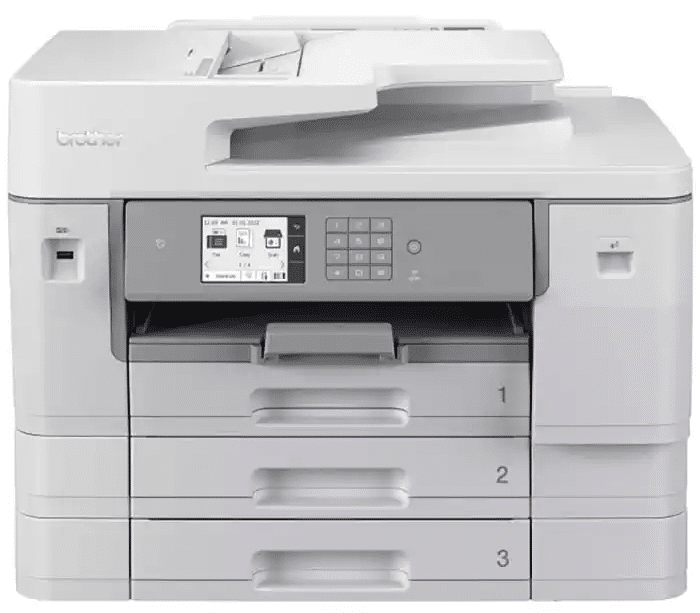
Buy/Lease (12 months+)/Hire Brother A3 Colour Inkjet MFP MFC-J6957DW
Rather than choosing on technology alone, look at what your business prints the most:
| Choose A3 Inkjet if: | Choose A3 Laser if: |
|---|---|
| You print lots of colour graphics, proofs or marketing material | You print mostly text-heavy documents |
| You want flexible media handling | You need consistently fast printing for a busy office |
| Lower power use matters | You print large volumes regularly |
| You want a versatile all-rounder for mixed office work | You want a workhorse for reports, invoices and everyday office documents |
Compare the actual model’s print speed, cost per page, and paper handling rather than choosing based on “inkjet” or “laser” alone.
Don’t Assume Laser is Always Cheaper
Running cost is one area where it pays to compare the actual machine rather than rely on the inkjet vs laser label.
Six Things to Look For When Choosing an A3 Printer
Once you understand your print profile and have a good understanding of laser vs inkjet printers, comparing A3 printers becomes much easier.
Instead of getting lost in long specification sheets, focus on the features that affect how your team works and what the printer costs to run.
Here are the six things that matter most:
1. Print Quality
It may seem obvious, but if your A3 printer will produce client-facing documents, you’ll need more than reliable output.
Whether it’s design proofs, property brochures or presentation boards, colour accuracy, fine detail and consistency all matter.
A higher DPI number on a printer doesn’t automatically make it a better choice. As a rough guide, 600 dpi is generally more than adequate for everyday office documents, while 1200 dpi can be useful where fine lines, detailed graphics or higher-quality presentation material matter.
Paper also matters. The same printer can produce very different results on standard office paper than on, say, glossy media. So, check that the machine supports the paper types and weights you intend to use.
If print quality is genuinely important to your business, ask to see a sample printed from one of your own files. This will tell you far more about the quality than a DPI number ever will.
2. Print Speed
Print speed matters, but the pages-per-minute (ppm) figure can be misleading.
When comparing printers, check whether the advertised speed refers to A4 or A3 output. A model advertising 30 pages per minute may refer to A4 printing. The A3 speed may be much lower.
Ensure you also look at first-page-out-time. For an office printing lots of short jobs throughout the day, waiting 15 seconds for every document to start may be more frustrating than a printer with a slightly lower top speed. Some current A3 business inkjets can produce the first page in around 4.4 seconds.
3. Running Costs
The purchase price of an A3 printer is only the first number to look at.
For a small business, the bigger question is what the printer will cost every month after that. Australian consumer group CHOICE recommends comparing annual ink or toner costs and cost per page, not just the printer price. Its testing has found that cheaper printers can sometimes cost far more to run over time.
For example, the Brother MFC-J6540DW A3 Inkjet Multi-Function Printer available from Mitronics supports high-yield replacement cartridges rated up to 3,000 black pages and 1,500 colour pages, which can help reduce how often consumables need replacing.
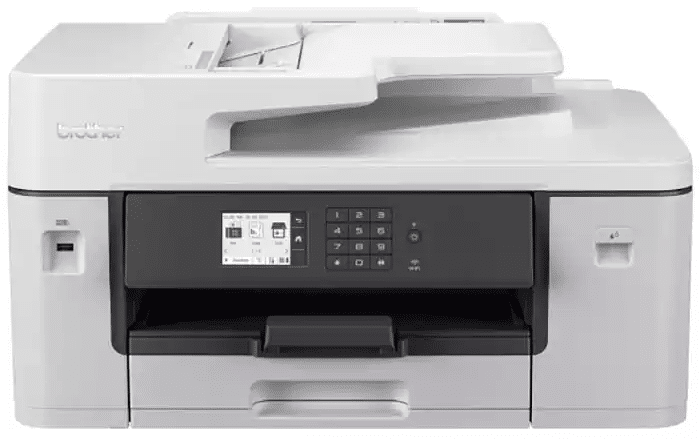
Buy/Lease (12 months+)/Hire Brother A3 Colour Inkjet MFP MFC-J6540DW
The spec sheet gives you the ingredients, but unfortunately it won’t give you the final running cost. Look for cartridge or toner yield, then compare the replacement price to work out an approximate cost per page.
4. Paper Handling
If your business regularly switches between A4 and A3, uses heavier stock or prints on different media, look closely at tray capacity, the number of trays, supported paper size and paper weight.
For a small office printing mostly standard documents, a single 250-sheet tray may be plenty. But if you print A4 and A3 throughout the day, multiple trays can save your staff from constantly unloading and reloading paper.
At the higher end, the FUJIFILM Apeos C2561 A3 Colour MFP available from Mitronics starts with 616 sheets of paper capacity and can be expanded to more than 2,000 sheets. It also handles media from 52 to 300 gsm, giving businesses much more flexibility for heavier presentation stock as well as everyday office paper.
Don’t overlook the footprint. A3 printers can take up considerable office space, especially when you add extra paper trays. Before buying, check the machine’s dimensions and allow enough room to open trays, replace consumables, and access the printer for servicing. A compact A3 multifunction printer may be a better fit for a small office than a larger floor-standing model, even if both can handle the same paper sizes.
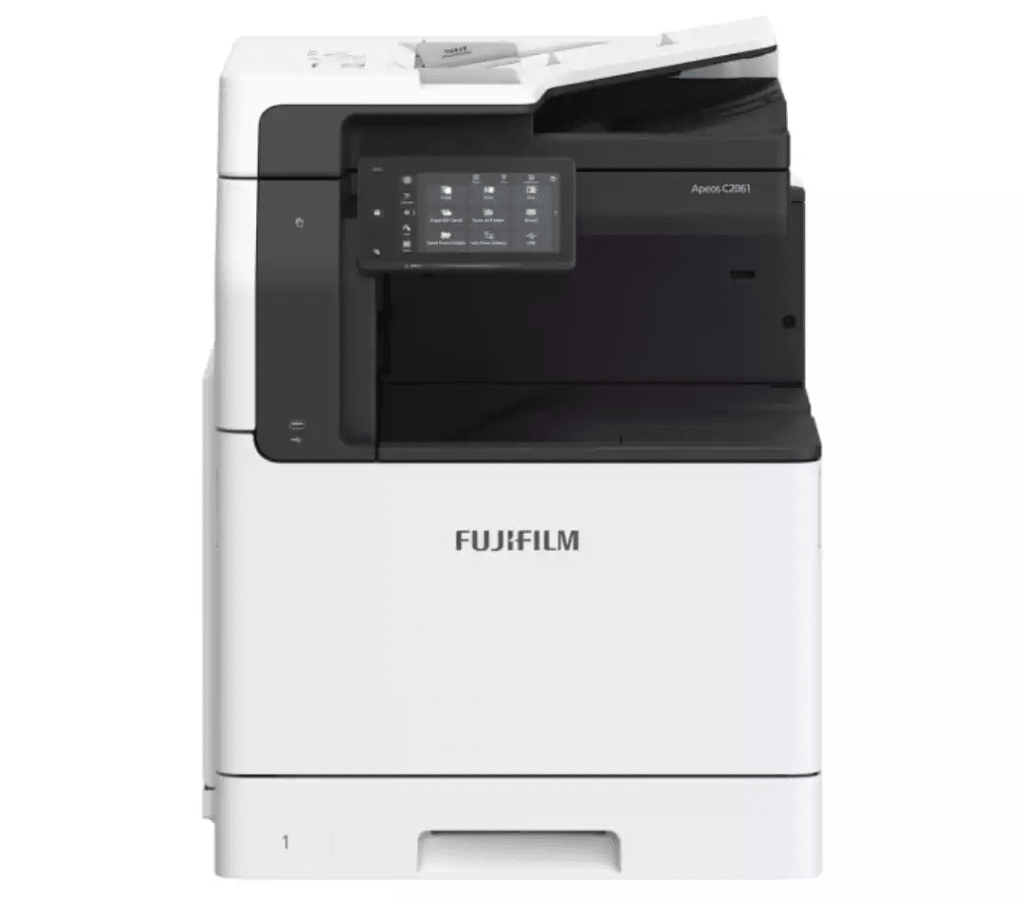
Buy/Lease (12 months+)/Hire FUJIFILM A3 Colour Apeos MFP C2561 (AC2561-1Y)
5. Connectivity and Workflow
For a shared A3 printer, start with the basics: Ethernet, Wi-Fi, and mobile printing. This ensures staff can print from desktops, laptops, phones, and tablets without relying on one computer.
If you are buying a multifunction printer, scanning deserves just as much attention as printing. Check whether staff can scan directly to email or network locations, whether double-sided documents can be scanned, and how quickly large document sets can be processed.
6. Security
An A3 printer is part of your network, so treat security like any other connected device.
That matters more than many businesses realise. Research commissioned by Canon Oceania and conducted by IDC Asia/Pacific found that 78% of surveyed organisations across Australia and New Zealand had experienced at least one print-security incident in the previous two years.
For a printer shared by many people in the office, look for features such as secure print release, user authentication, access controls, encrypted storage, and regular firmware updates.
Choosing the Best A3 Printer for Your Business
As you can see, the best A3 printer isn’t necessarily the most expensive or the most feature-packed model.
It’s the one that matches the way your business actually prints.
Start with your print profile, decide whether inkjet or laser suits the workload, then compare the features that will make a genuine difference day-to-day- from print quality and speed to running costs, paper handling, connectivity and security.
If you are comparing options, explore the A3 printer range at Mitronics or speak with the Mitronics team for help choosing a printer that suits your business.