

The office commute is back on the agenda.
Under the NSW Government’s workplace presence mandate, government-sector employees are expected to work principally from an approved workplace.
For Sydney CBD decision-makers, that renewed focus on attendance raises one important question: what are people returning to?
For C-suite executives, HR leaders and workplace teams, a return-to-office strategy should focus on the quality of the workplace experience. If time in the office is intended to strengthen collaboration and decision-making, the workplace needs to make that time genuinely valuable.
And increasingly, that comes down to how well the office is equipped for the way people work.
Sydney’s Return to Office Shift: What the Data Shows
Introduced in August 2024, the NSW Government’s workplace presence mandate requires government-sector employees to work principally from an approved workplace.
It stops short of prescribing a set number of office days, leaving individual agencies responsible for their own policies. Existing flexible-working arrangements do remain supported, but the direction is clear: regular workplace presence is once again an expectation.
The reasoning behind the policy is just as relevant. The NSW Government points to the role of the workplace in building stronger teams and supporting on-the-job learning – outcomes that depend on what happens inside the workplace, not simply how many people come through the door.
And this push towards making workplace presence the default is also being echoed across corporate Sydney.
Major employers are setting firmer expectations around office attendance, from minimum monthly office requirements to three- and four-day working patterns for some teams and managers. Commonwealth Bank, for example, requires employees in most corporate locations to spend at least 50% of their working time in the office each month.
The attendance data reflects this same shift. CBRE’s latest dedicated Return to Office Indicator found Sydney office attendance had reached 76% of pre-COVID levels across the working week – rising to 87% on Tuesdays.
Take Barangaroo South: the precinct is home to around 23,000 workers, including teams from Westpac, PwC and KPMG. As more employees converge on the office on the same days, shared spaces and technology need to be designed to accommodate very different levels of demand across the week.
Which leads us to this point. Mandates and attendance policies can bring people into the office, but they do not determine whether that time is productive or worthwhile.
CBRE’s 2025 Australian Office Occupier Survey found 65% of respondents identified enhancing the employee experience through the workplace as a key priority.
That is the strategic shift: moving from a mandatory workplace to a Destination Office. One designed to make time in the office genuinely valuable.
So, how can workplaces do that?
Why Better Office Days Need Better Meeting Rooms
A better workplace experience starts with one of the places where hybrid work is most likely to show its cracks: the meeting room.
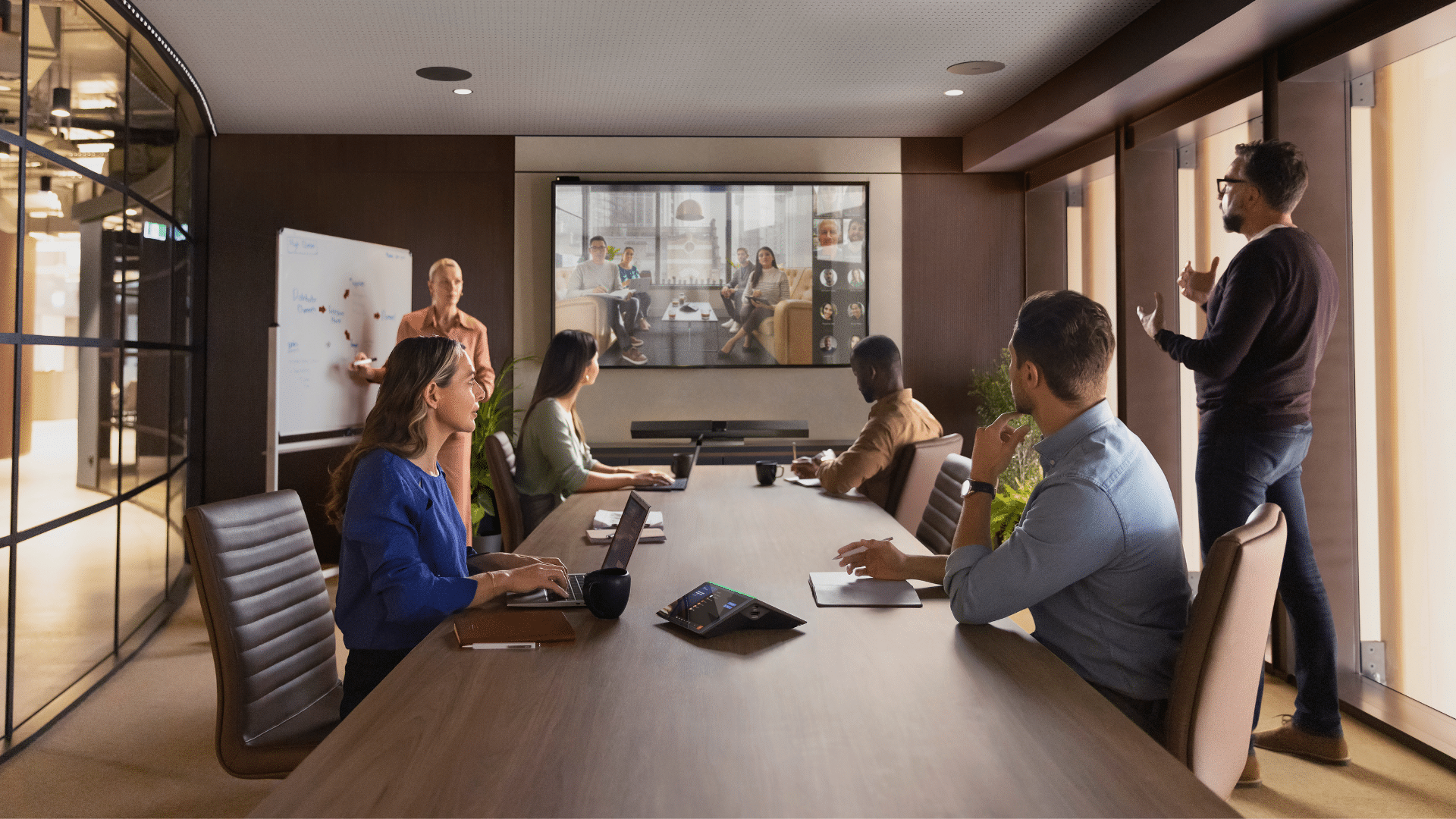
Half the team is in the room. Half is not. Suddenly, every flaw in the boardroom becomes obvious. The camera cuts off half of the participants. Audio drops at the far end of the table. And screen sharing takes far too long. The result? Two different experiences for the same team.
This is where enterprise-grade audio-visual infrastructure can turn a poor experience into one where productive conversation takes centre stage.
Modern conferencing systems are designed to remove the small points of friction that can quickly derail a hybrid meeting. High-resolution cameras can frame participants more clearly and track whoever is speaking. Beamforming microphones can capture voices from across the table, while integrated speakers and noise-cancellation technology help keep conversation clear at both ends of the call.
Interactive displays can also enhance the experience. Solutions such as the MAXHUB XBoard V7 combine a 4K display, camera, speakers, and a 16-microphone array in one system, allowing teams to video conference and collaborate from the same screen.
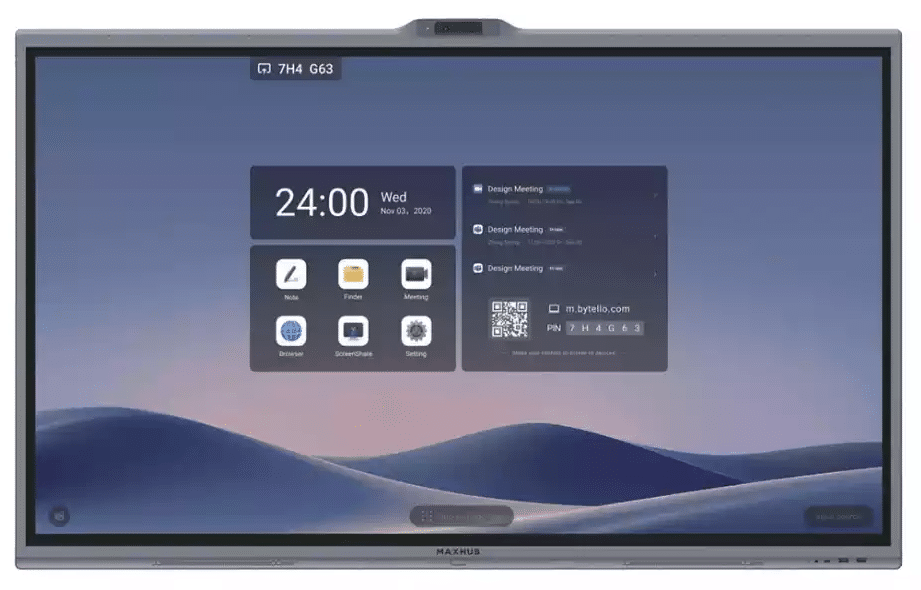
MAXHUB XBoard V7 Series 55 Inch Interactive Whiteboard Screen for Business & Conferencing
For larger boardrooms, audio can be extended through the space. Logitech Rally Mic Pods use beamforming microphones and can be added across larger tables, helping voices carry clearly regardless of where people are sitting.
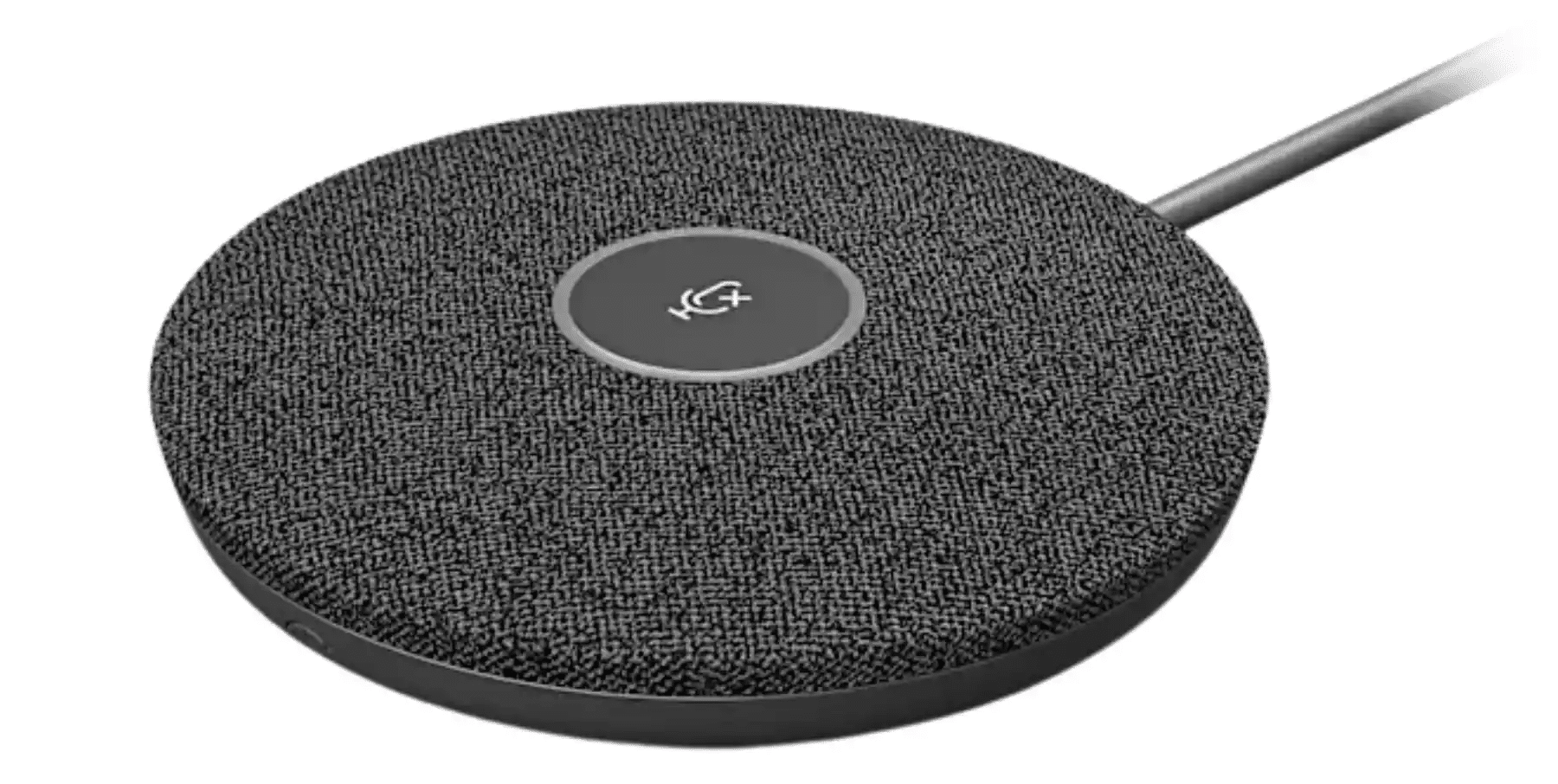
Logitech Rally Mic Pod, Good Looks Meet Great Sound
Controls matter too. The Poly TC10 Touch Controller provides a central interface for joining calls and sharing content.
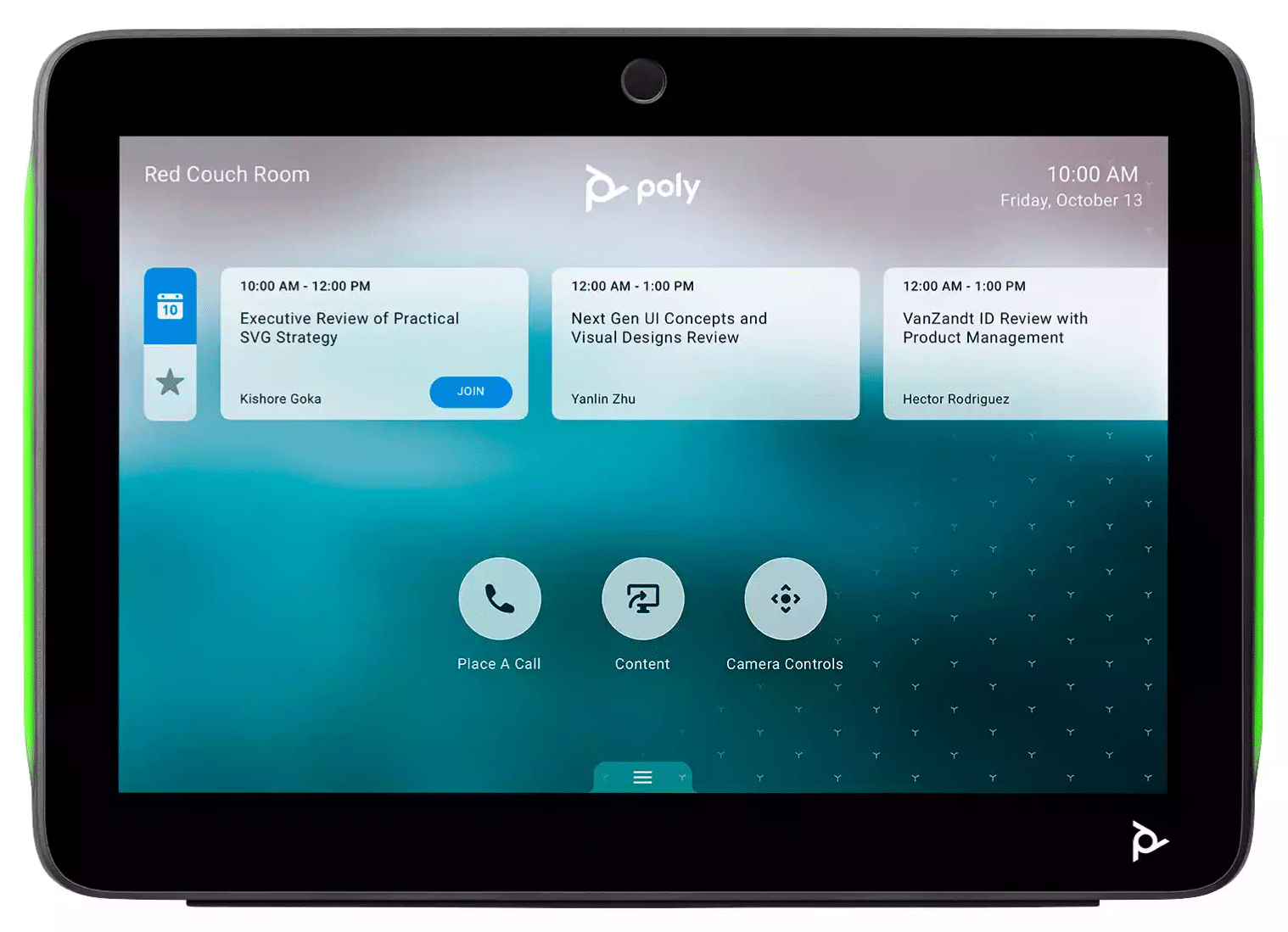
Poly TC10 Touch Controller
Having a stronger hybrid capability gives workplace teams more flexibility, helping organisations spread collaboration more effectively across the workweek without everyone having to be present at the same time.
The 2026/2027 Boardroom Upgrade List
Not every boardroom needs more technology. An effective boardroom starts with selecting the right technology for the room and the people using it
For Sydney CBD businesses planning an AV refresh in 2026 or 2027, these are the upgrades worth prioritising:
1. Get the Visual Setup Right
One display can get crowded very quickly.
Put a presentation on screen and remote participants disappear into a row of small tiles. Bring the people back in, and the detail in the presentation becomes harder to see.
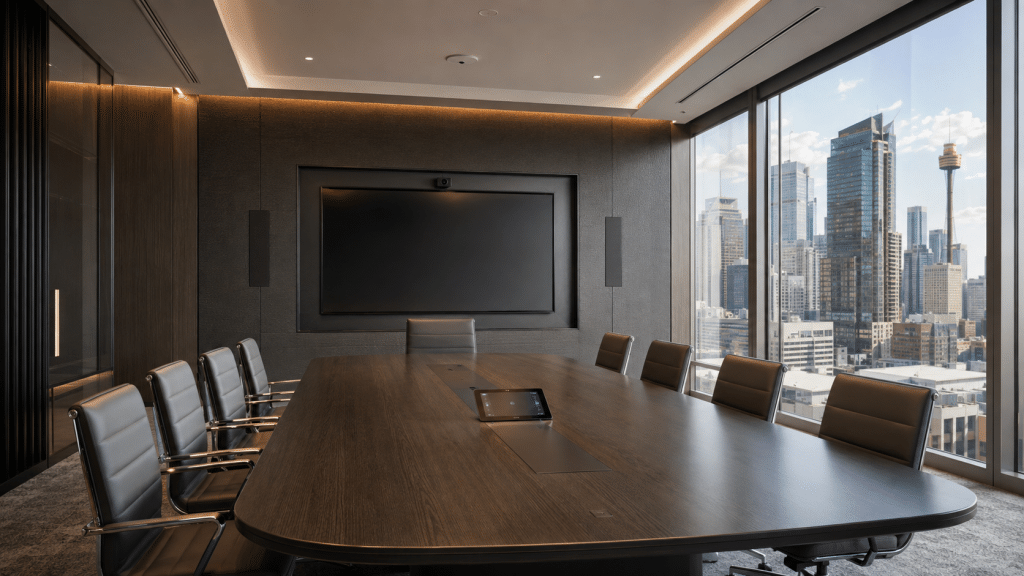
For larger boardrooms, it can be beneficial to think beyond the traditional 16:9 screen. An ultra-wide or dual display setup can keep shared content and remote participants in the same space, so they are all visible at the same time. The Commbox Horizon 105 is a good example. Its 105-inch, 21:9-style ultra-wide format provides 33% more viewing space than a standard 86-inch display, with 5K resolution and touch capability. It’s also designed for Microsoft Teams Rooms and Zoom Rooms.
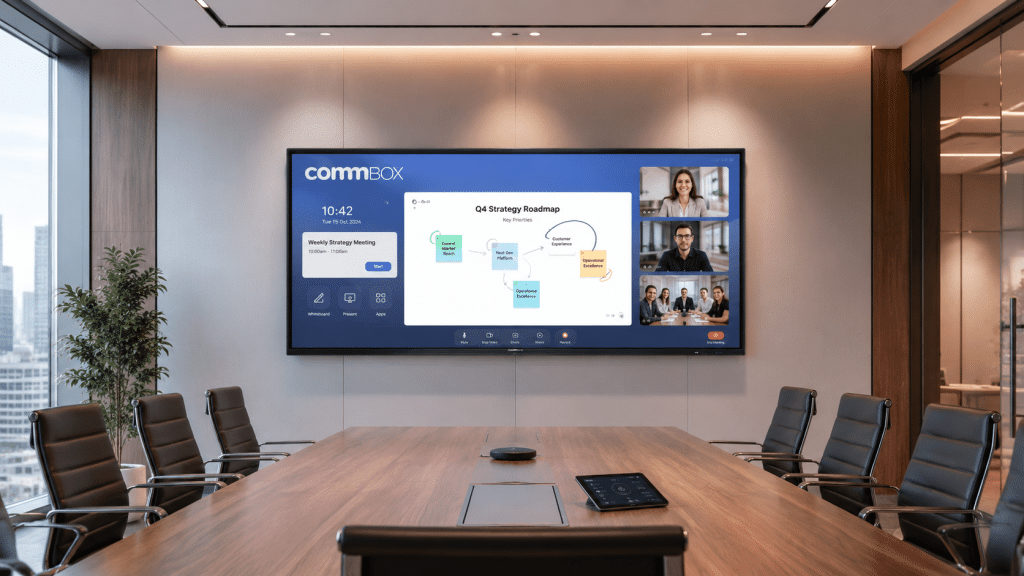
For much larger presentation environments, the MAXHUB Raptor Integrated LED Wall is available in sizes from 120 to 220 inches, with built-in wireless screen sharing, annotation, and remote management.
2. Smart Audio Integration
Long tables, glass walls, hard floors and high ceilings all affect how sound travels through a meeting room. This means audio should be planned around the space, not added as an afterthought.
For smaller and medium-sized meeting rooms, an all-in-one video bar can keep the setup relatively simple. In bigger or more acoustically challenging boardrooms, separate microphones and speakers can be positioned around the room to provide more consistent coverage.
The HP Poly Studio X70 All-In-One Video Bar is one option Mitronics stocks for larger meeting spaces. It combines 4K video with built-in microphones and two-way stereo speakers, while Poly NoiseBlockAI and Acoustic Fence technologies help reduce distracting background noise.
For more complex rooms, ceiling-mounted microphone arrays can help create more consistent coverage across the space.
There is a useful Sydney example at Accenture’s international House workplace in Barangaroo. Its AV fitout includes meeting spaces for between 4 and 48 people. Shure microphone arrays are deployed throughout the space to manage the acoustic challenges created by the building’s extensive exposed timber.
3. Seamless One-Touch Join
A meeting should not begin with finding cables, changing inputs or working out which device controls what.
Unified communications platforms such as Microsoft Teams Rooms and Zoom Rooms can bring the meeting calendar, conferencing software and room hardware together. A scheduled meeting appears on the room controller; employees walk in, tap to join, and the camera, microphone, speakers and display are ready to go at the same time.
For a Sydney CBD workplace running dozens of meetings across multiple rooms each day, this is a game changer. Instead of every boardroom having its own setup ritual, the experience becomes familiar. Walk in. Tap Once. Start the conversation.
Before You Specify the Technology
A useful boardroom brief should answer five questions first:
| Ask | Why it matters |
|---|---|
| What happens in this room most often? | Presentations, collaborations, and hybrid meetings require different setups. |
| What must stay visible? | It determines whether a single screen, dual displays, or an ultra-wide format makes sense. |
| Where does everyone sit? | Camera and microphone coverage should follow the seating plan. |
| Which platforms need to work? | Teams-only requirements differ from those for a client-facing multi-platform room. |
| Can every room work the same way? | Standardisation reduces training and setup friction across the workplace. |
Technology Sets the Tone for Office Culture
Company culture isn’t based on the technology you have in the room. But it’s built on how the people within the room interact (or don’t) interact with it.
The small details matter. A leadership update starts ten minutes late because the room won’t connect. A remote colleague misses half of the Monday morning meeting. A team books a collaboration space, only to spend the first part of the session troubleshooting.
Repeated often enough, these moments become part of the workplace experience.
Gensler’s 2026 Global Workplace Survey found that access to up-to-date technology is one of the workplace attributes associated with employees feeling that the office supports learning effectively. This is noteworthy, because learning, mentoring and knowledge-sharing are among the very reasons organisations want people together in the first place.
This is where technology becomes more than infrastructure. The technology doesn’t create the culture, but it can create fewer barriers to the behaviours that do: sharing ideas, learning from colleagues, making decisions and hearing from leadership directly.
At ASX’s new headquarters, CEO Helen Lofthouse said the workplace would provide employees with the tools and technology needed to succeed, while supporting a broader cultural shift and an improved employee experience.
When technology supports the way people actually work, it becomes one of the elements that can move a workplace from mandatory to magnetic – from somewhere people are expected to attend to somewhere that earns the commute.
Creating a Destination Office
Policy might determine where people work from, but it doesn’t determine what happens when they arrive.
For Sydney CBD businesses, there is a strategic advantage in looking beyond attendance numbers and creating a workplace that enhances collaboration and supports better business outcomes.
Since 1994, Mitronics has helped Australian businesses choose and implement workplace technology that fits their people, spaces and day-to-day needs.
Ready to modernise your Sydney CBD boardroom?
Talk to Mitronics about an AV solution tailored to your workplace.