

The Role of Your Copier in a Modern Workplace
Most workplaces run on documents – proposals, reports, invoices, and everything in between. Keeping that flow smooth and secure takes a mix of good systems, reliable tech, and the right tools for the job. One of those tools is the multifunction printer (MFP).
Modern business photocopiers do much more than print. They scan, store, and share files instantly, helping teams work faster and cut down on everyday admin.
But when it comes to acquiring one, Australian business owners often ask the same question:
Should I buy or lease (12 months+) a photocopier for the office
There’s no one-size-fits-all answer. It depends on how your business manages cash flow, technology updates, and long-term value. Understanding the pros and cons of photocopier leasing, rental, or outright purchase can help you choose an option that fits your budget and the way your team works.
Upfront Investment: What’s the Real Cost?
Cost is often the first thing businesses consider. Whether you buy or lease (12 months+), your photocopier investment should make financial sense both now and in the long run.
Buying a photocopier means paying a higher upfront cost. You own the machine outright, which can be an advantage for stable businesses with predictable printing needs. However, high-end multifunction printers (MFPs) can be expensive, especially if you need features like large-volume printing, colour accuracy or finishing options such as stapling and folding.
On the other hand, photocopier lease (12 months+) or photocopier rental arrangements spreads those costs into manageable monthly payments. There’s usually little to no upfront fee, making it easier to preserve cash flow – a key advantage for growing Australian businesses or startups. Most office printer lease (12 months+) agreements in Australia also include servicing, toner, and maintenance, so you’re less likely to face unexpected costs down the line.
If your business changes or scales quickly, leasing gives you the flexibility to upgrade to newer models without having to reinvest heavily. But if your print volume stays steady, buying outright can work out cheaper over time once the equipment is fully paid off.
Tip: Compare total costs over at least three years, not just the first 12 months. Leasing often wins on flexibility and predictability, while ownership tends to deliver better long-term savings for stable teams.
Keeping Up with Technology: The Flexibility Factor
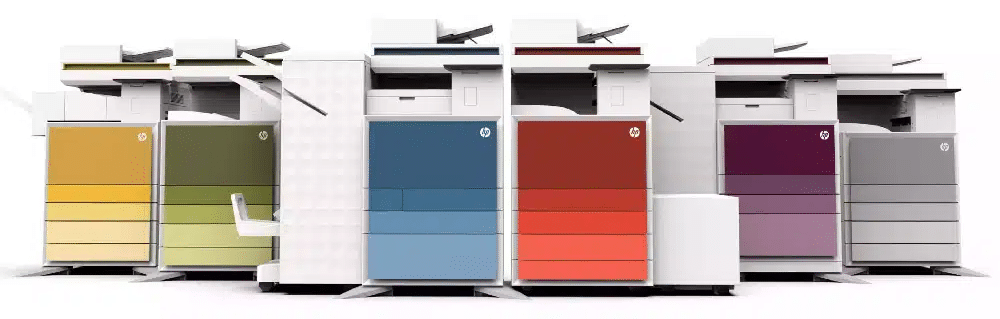
Photocopier technology is evolving faster than ever. Today’s multifunction printers (MFPs) can do far more than print and scan. They connect to the cloud, automate work flows, and protect sensitive data – making them a core part of digital transformation in the workplace.
What to look for in a Modern Business Photocopier
- Security controls: PIN printing, user authentication, and encryption to protect confidential data – increasingly important under Australian Privacy Principles (APPs).
- Mobile printing: Support for AirPrint and Wi-Fi Direct, letting staff print securely from their phones and tablets.
- Cloud connectivity: Seamless integration with platforms like Google Drive, Microsoft 365 or OneDrive for easy document sharing and storage.
- Workflow automation: Scan-to-email, smart document routing, and automatic file naming can dramatically reduce admin time.
- Sustainability features: Energy-efficient models and low-waste toner systems that help businesses meet ESG and sustainability goals.
According to the IDC Australia Office Technology Outlook 2025, more than 70 % of mid-sized businesses now prioritise print security, cloud integration, and energy efficiency when upgrading their office printers.
How Leasing Helps You Stay Ahead
Leasing your business photocopier makes it easier to keep pace with technology. You can upgrade at the end of each term, ensuring your team always has access to the latest printer-photocopier scanner models – without major upfront costs.
Most photocopier leasing in Australia also includes maintenance and automatic firmware updates, so your equipment stays current without added expense.
Where Buying Can Hold You Back
Buying a photocopier outright can make sense for businesses with stable needs – but it also comes with trade-offs. Technology moves fast, and even a high-end multifunction printer (MFP) can start to feel outdated within a few years.
That can mean:
- Missing out on the latest productivity and connectivity features like cloud integration or advanced print security.
- Paying more over time for repairs, maintenance, or software upgrades
- Limited flexibility to scale or upgrade when your team or workflow changes.
Service, Repairs, and Maintenance: Who Handles What?
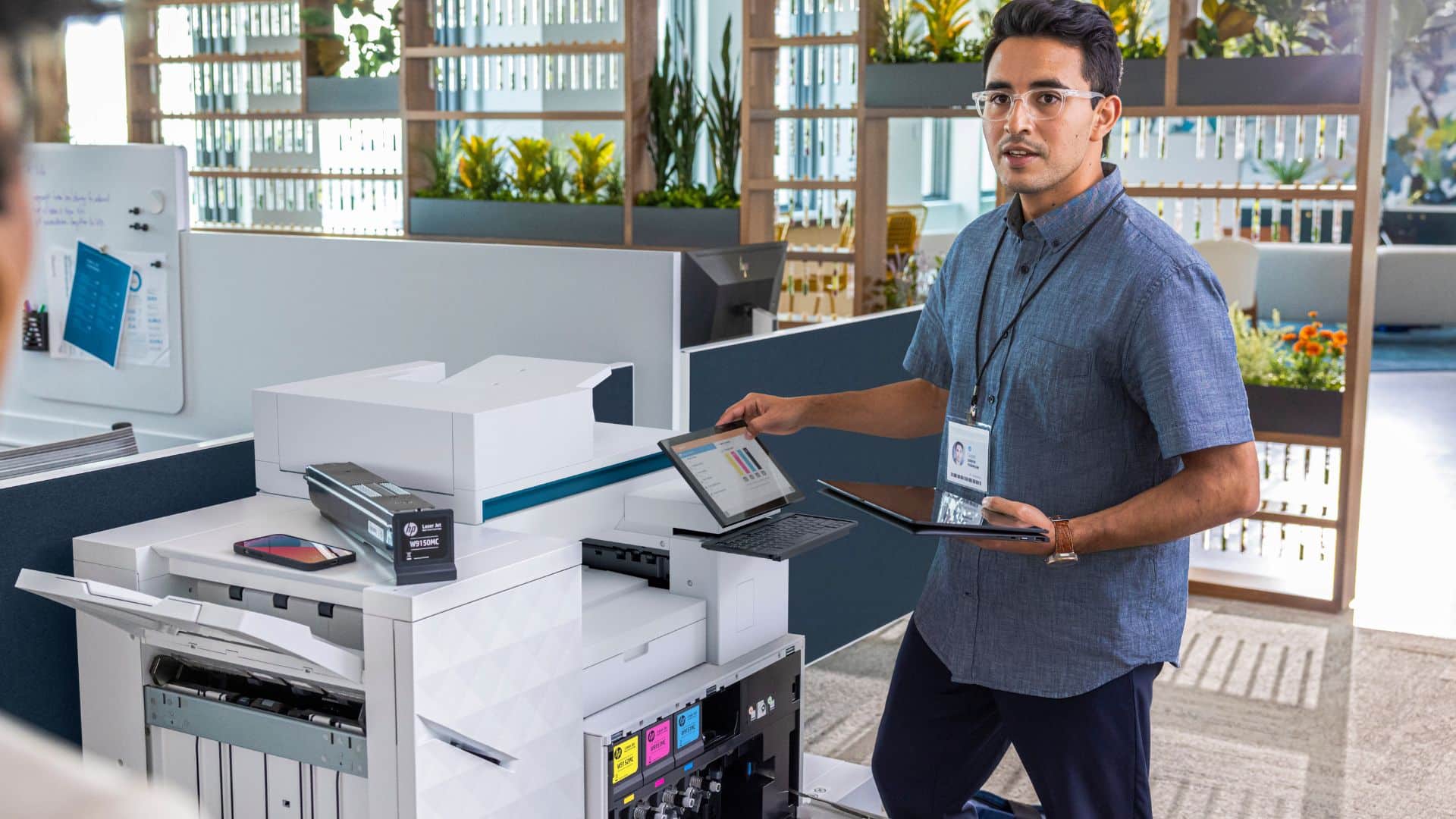
No one wants the office copier to break down when a deadline’s approaching. Downtime can quickly translate into lost productivity – and unexpected repair costs. According to a 2024 survey by IDC Australia, mid-sized businesses estimate that printer downtime costs them an average of $520 per employee each year, mostly through delays and manual workarounds.
When leasing a photocopier or opting for photocopier rental, most agreements typically include maintenance contracts that cover toner, parts, and servicing. This ensures minimal downtime and keeps your office photocopier running smoothly.
If you purchase your business photocopier, you own the equipment and control how it’s maintained. That can be appealing for large or stable organisations with internal IT or facilities teams. But it also means you’re responsible for:
- Scheduling and paying for servicing and repairs.
- Managing toner and consumable orders.
- Handling software updates and security patches manually.
Tip: For businesses with heavy daily use, photocopier leasing often provides more predictable costs and less stress, allowing staff to focus on core tasks rather than maintenance issues.
Looking Beyond the Sticker Price: Total Cost of Ownership
When comparing leasing vs buying, many decision-makers focus too heavily on the purchase or lease (12 months+) fee alone. But the true cost of a photocopier is revealed when you factor in everything it takes to run, maintain, and replace it over its life. That’s the concept of Total Cost of Ownership (TCO).
What goes into TCO for a copier?
Here are the main cost components you should compare side by side:
- Depreciation / Capital cost: the upfront cost of buying or the lease (12 months+) amortisation.
- Consumables: toner or ink, drums, fusers, and other replaceable parts.
- Service, maintenance & repairs: regular servicing, parts, labour, breakdowns.
- Energy & utilities: power consumption, warm-up cycles, standby mode.
- Downtime & productivity losses: when the copier fails, staff wait; reprints, delays, manual workarounds eat time.
- Disposal / upgrade costs: retiring old machines, resale, recycling, or trade-in.
Why TCO often tips the scale toward leasing
- Leasing shifts a large portion of variable costs (maintenance, parts, consumables) to the provider.
- It protects you from surprise repair bills, obsolete parts, or firmware upgrade costs.
- Predictable monthly payments simplify budgeting and cost forecasting.
- You gain flexibility to refresh your device without carrying old depreciation or resale burden.
Understanding these factors helps businesses make a financially sound decision while keeping their office photocopier machine efficient and up to date.
Understanding the Tax Angle
In Australia, photocopier leasing can offer tax benefits as lease (12 months+) payments are often deductible as operational expenses. When purchasing a photocopier, the machine becomes a depreciable asset, and depreciation, as well as any interest on financing, may be deductible.
Consulting an accountant ensures your business optimises cash flow and claims the correct deductions, whether you choose a photocopier lease (12 months+) or outright purchase. This guidance helps align your office photocopier machine investment with both financial strategy and tax compliance.
Matching Features to Business Needs
No two offices use their copier the same way. The right setup comes down to how your team works, how much you print, and what you can’t afford to slow down.
For smaller teams, a leased multifunction printer (MFP) with scanning, mobile printing, and a service plan keeps things simple and costs steady.
Growing businesses usually need a bit more muscle — faster speeds, tighter security, and smart cloud features that fit a hybrid workplace.
Larger organisations, on the other hand, often find buying outright makes more sense once their print volumes and workflows are settled.
When you’re comparing models, look for features that actually make life easier:
- Reliable print speed for your team’s workload.
- Security tools like PIN release or user authentication.
- Cloud and mobile printing to keep remote teams connected.
Lease or Buy: Deciding What Fits Best
When it comes to choosing between photocopier leasing and buying, the decision ultimately depends on your business’s budget, usage patterns, and growth projections. Some organisations prioritise flexibility, while others value long-term ownership and lower cumulative costs of a photocopier.
If you want predictable costs, regular upgrades, and zero maintenance headaches, leasing is often the way to go. You can scale up as your business grows and always stay current with the latest tech.
But if you’ve got stable print volumes and a long-term setup, buying outright can save money over time. Once it’s paid off, the only real costs are toner, paper, and the occasional service call.
Here’s a quick snapshot to help you weigh it up:
| Criteria | Leasing a Photocopier | Buying a Photocopier |
|---|---|---|
| Upfront Cost | Low or none | High |
| Maintenance | Usually included | Separate or self-managed |
| Technology Updates | Easy to upgrade | Requires a new purchase |
| Long-Term Cost | Higher cumulative | Lower over time |
| Tax Benefits | Deduct as an expense | Depreciation claim |
| Ownership | No | Yes |
| Flexibility | High | Limited |
This table summarises the key factors: financial, operational, and technological, so you can make a decision aligned with your business needs. Small Australian businesses or rapidly growing teams may benefit from photocopier rental or photocopier lease (12 months+), while stable, high-volume offices might find buying a printer, photocopier, and scanner more cost-effective in the long run.
The Cost–Flexibility Trade-Off: Pros and Cons at a Glance
Leasing and buying each have their strengths. The key is knowing what matters most to your business – control or convenience.
Leasing gives you predictable monthly costs, access to the latest technology, and less hassle with servicing or replacements. Buying gives you ownership and long-term savings – but you’ll have to handle maintenance, upgrades, and potential downtime costs yourselves.
Here’s a quick look at the pros and cons of leasing or buying a photocopier:
| Aspect | Leasing | Buying |
|---|---|---|
| Upfront Cost | Minimal | High initial payment |
| Maintenance | Usually included | Self-managed or contracted |
| Upgrades | Simple to refresh every few years | Requires new purchase |
| Flexibility | High — scale up or swap easily | Limited once purchased |
| Long-Term Cost | Higher overall | Lower once paid off |
| Tax Treatment | Fully deductible as expense | Claimed through depreciation |
| Ownership | No | Yes |
Leasing vs. Renting: Not the Same Thing
Leasing and renting might sound similar, but they serve different business needs.
- Leasing is a long-term arrangement, usually two to five years, often with the option to upgrade or buy at the end of the term. It suits businesses seeking predictable costs and access to the latest equipment.
- Renting, on the other hand, is short-term – ideal for projects, pop-up offices, or temporary teams. Startups or companies with fluctuating workloads often benefit from renting first, as it provides flexibility without long-term commitments. At the same time, established businesses often opt for leasing to maintain stability and access the latest technology.
When to Lease or Buy: Business Size and Growth Considerations
Whether leasing or buying makes more sense often comes down to your business size, growth plans, and how quickly things change.
Smaller businesses and startups usually lean towards leasing or renting. It keeps cash flow healthy, avoids large upfront costs, and allows easy upgrades as your business scales.
Established businesses, on the other hand, often prefer to buy outright. Ownership gives full control and can deliver better value over time if print volumes and technology stay steady.
Related read: Best Photocopiers for Large Businesses in 2025
Making the Smart Move with Mitronics
Whether you lease (12 months+) or buy, the right photocopier should make your workday easier – not add to your to-do list.
Leasing gives you flexibility and predictable costs, while buying offers ownership and long-term value. The best choice depends on your goals, your growth plans, and the features your team relies on the most – like speed, connectivity and security.
At Mitronics, we’ve helped hundreds of Australian businesses find that balance. From short-term rentals to long-term lease (12 months+) plans and outright purchases, we tailor every solution to your team’s size, workload, and budget.
“The best copier isn’t just about price- it’s the one that keeps your business running smoothly, efficiently, and securely every single day.”
Explore Mitronics’ multifunction printers and leasing options to find a setup that fits your business today – and grows with you tomorrow.