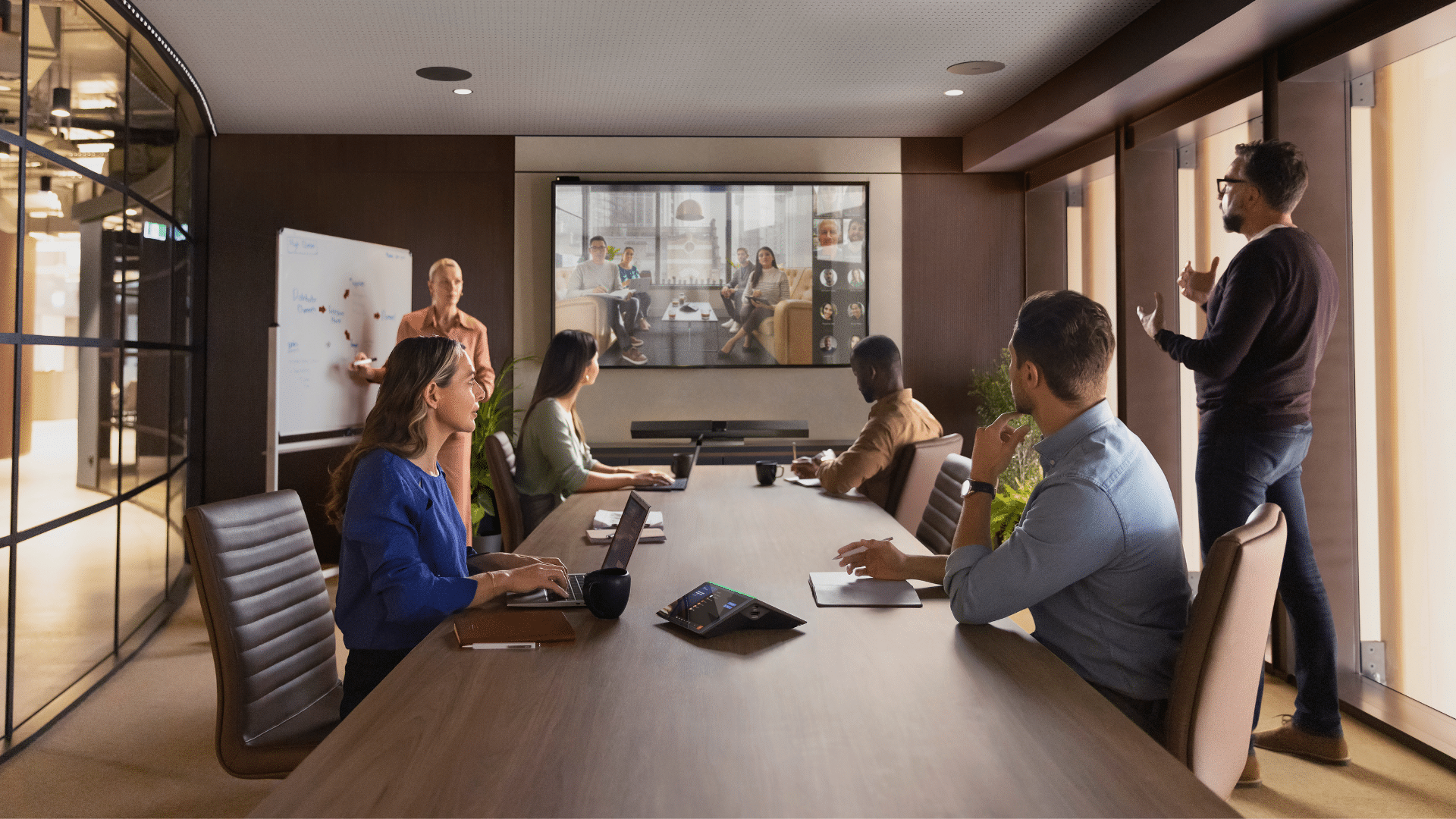


Hybrid work isn’t just a trend – it’s the new normal for Australian businesses.
High-quality video conferencing equipment is now essential when teams are spread across multiple locations. From boardroom strategy sessions and client pitches to quick project catch-ups, the right tools ensure meetings run smoothly and leave a professional impression.
But here’s the truth: not all video conferencing systems are created equal. A poor-quality webcam or muffled audio can derail important discussions, making your business look less professional than it deserves. That’s why investing in modern video conferencing solutions is no longer optional – it’s essential.
In this guide, we’ll explore:
- The fundamentals of video conferencing systems.
- How to choose the right equipment for different room sizes.
- The pros and cons of all-in-one vs external setups.
- Practical tips to make your workspace video-call ready.
Understanding Video Conference Systems
So, what exactly is a video conferencing system?
In simple terms, it’s a combination of hardware and software that enables people to collaborate online – just like a digital meeting room.
Core Components
A typical setup includes:
- Camera (webcam or conference camera): Delivers clear visuals so everyone feels present.
- Microphone: Captures voices clearly, even in larger rooms.
- Speakers or a speakerphone: Ensures balanced, natural sound.
- Display: Ranging from desktop monitors to large LED signage.
- Software or cloud-based platforms: Zoom, Microsoft Teams, or Google Meet connect everything seamlessly.
Wired vs. Wireless Setups:
- Wired systems – Maximum stability, ideal for permanent boardroom installations.
- Wireless systems – Greater flexibility, perfect for huddle rooms and hybrid setups.
- Cloud-based conferencing: Scalable, easy to use, and integrates seamlessly with calendars and productivity tools.
Key Features of Modern Video Conferencing Systems
The days of glitchy video calls are behind us. Modern video conferencing equipment delivers meetings that feel almost as natural as face-to-face collaboration:
- 4K/HD Video Quality: Crisp visuals for presentations, facial expressions, and detail.
- Noise Cancellation & Echo Suppression: Cuts out distractions and ensures sharp audio.
- Smart Framing & Auto-Focus: Cameras automatically track the active speaker.
- One-Touch Join & Calendar Integrations: Join instantly via Outlook or Google Calendar.
- All-in-One Devices: Camera, mic, and speakers combined into a sleek, cable-free unit.
With these capabilities, your team can focus on the conversation, not the technology.
Choosing the Right Video Conferencing System Based on Room Size
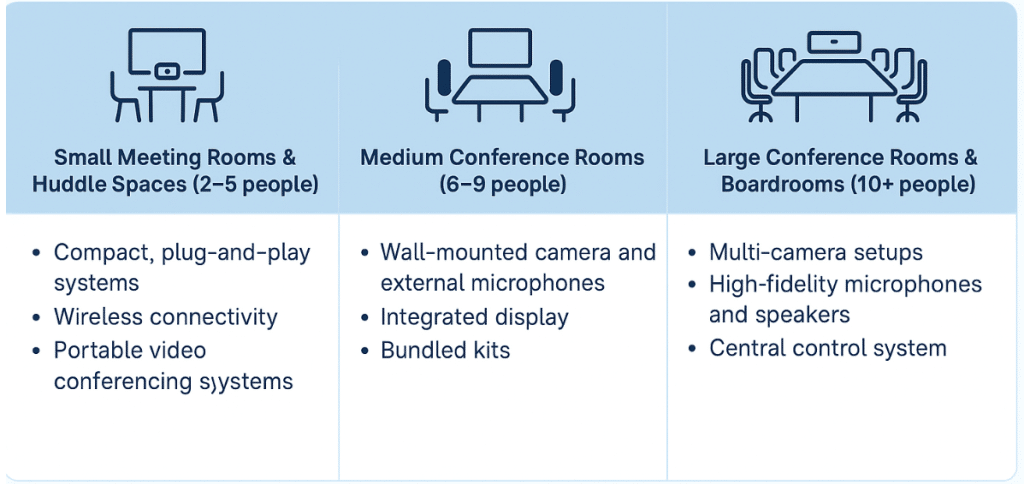
Room size matters when choosing the right setup for a video conferencing system. The needs of a two-person huddle space differ greatly from that of a 20-seat boardroom.
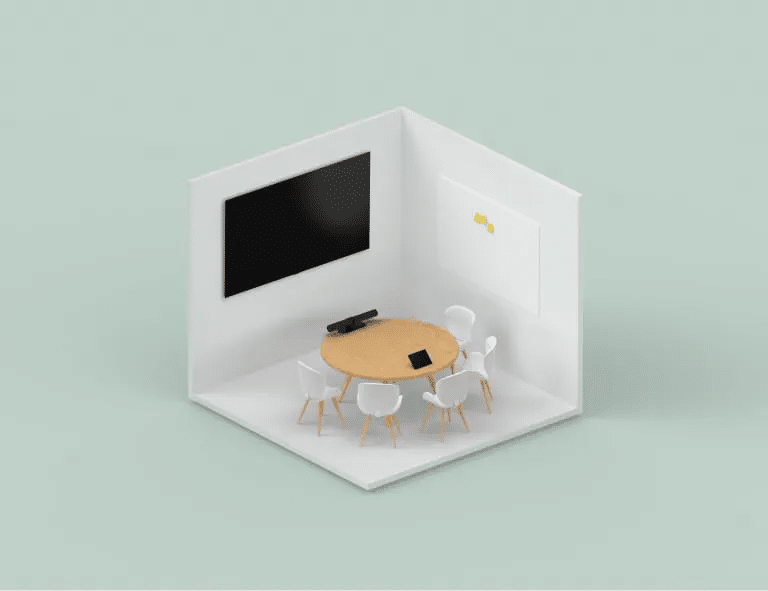
a) Small Meeting Rooms & Huddle Spaces (2-5 people |approx. 3x3m)
Perfect for one-on-one calls, quick project check-ins, or start-up teams in shared offices. Recommended equipment includes:
- Compact plug-and-play systems such as a high-quality webcam paired with a reliable speakerphone.
- Wireless connectivity for fast, flexible setups.
- Portable video conferencing kits designed for start-ups or hybrid teams.
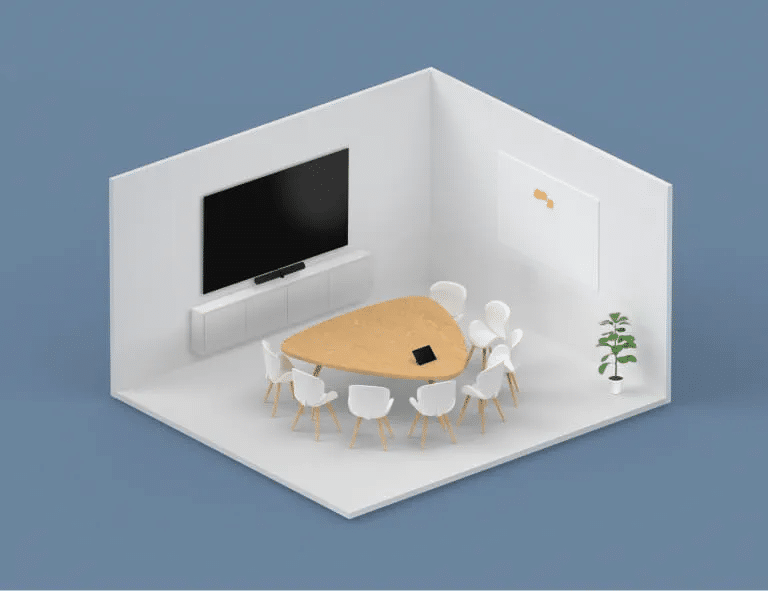
b) Medium Conference Rooms (6–9 People |approx. 4.5×4.5m)
Medium-sized spaces demand better coverage and audio clarity. For these rooms, consider:
- Wall-mounted cameras and external microphones.
- Integrated displays for more engaging presentations.
- Bundled kits like Mitronics’ medium conference room systems for out-of-the-box simplicity and reliability.
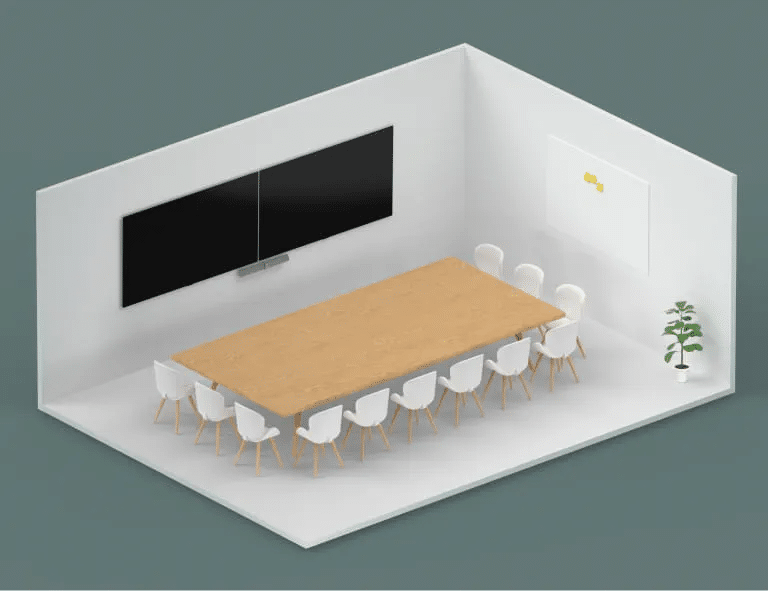
c) Large Conference Rooms & Boardrooms (10+ people |4.5x6m and above)
Boardrooms and training spaces require professional-grade solutions to make the right impression with clients and executives. Essential features include:
- Multi-camera coverage to capture all participants.
- High-fidelity microphones and speakers for clear audio across the entire room.
- Centralised control systems for calls, cameras and displays.
For Australian organisations, investing in large-room video conferencing equipment not only enhances collaboration but also creates a powerful personal impression during high-stakes meetings. Mitronics’ boardroom-ready systems deliver the quality, reliability, and support businesses need.
Why Your Team Deserves Great Video Conferencing Equipment
Think about how much time your business spends in meeting. Now imagine every one of those meetings running smoothly – without technical hiccups, with crystal clear communication, and with better engagement from all participants. That’s the power of modern video conferencing solutions.
- Better meetings = better decisions. Clarity leads to sharper, more productive outcomes.
- Stronger client presentations. Professional setups build trust and credibility.
- Reduced miscommunication. No more “Can you repeat that?” moments.
- Improved ROI on time. Saves minutes, reduces errors, and enhances collaboration.
For Australian businesses embracing hybrid work, reliable video conferencing tools aren’t just nice to have – they’re essential for building connected, high-performing teams.
Exploring Interactive Displays for Video Conferencing
One of the fastest-growing trends in video conferencing equipment is the use of interactive screens. These large, touch-enabled screens (similar to digital whiteboards) transform meetings from static presentations into engaging, collaborating workshops.
What Interactive Displays Enable:
- Real-time brainstorming: Draw, annotate, and map ideas together as a group.
- Seamless app integration: Use tools like Miro or Microsoft Whiteboard to enhance hybrid collaboration.
- Boost engagement: Keep participants active during training sessions, workshops, and client demos.
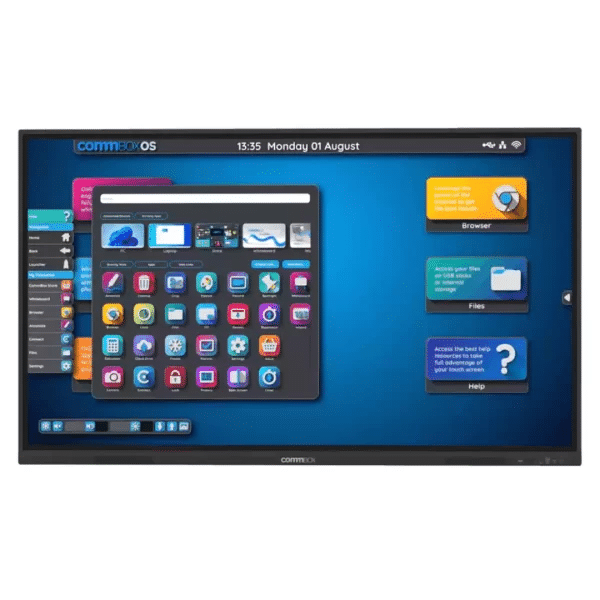
Pairing a Mitronics interactive screen with your conferencing system turns your meeting room into a dynamic hub where ideas flow effortlessly.
Integrated vs. External Equipment: What’s Right for You?
Every Australian business has different requirements when it comes to video conferencing equipment.
For quick check-ins or small team meetings, a laptop’s built-in webcam and microphone may be enough. But in professional settings, integrated options often fall short – resulting in grainy visuals, muffled audio, and limited control. These issues can be frustrating and leave clients with the wrong impression.
That’s where external video conferencing equipment makes a real difference.
All-in-one video bars, for example, combine a high-quality camera, microphone, and speakers into a sleek unit. Perfect for small meeting rooms, they reduce cable clutter and simplify setup.
Standalone components such as microphones, cameras, and displays provide maximum flexibility and performance for larger conference rooms or boardrooms. They allow you to tailor the setup to the room’s size, acoustics and collaboration style.
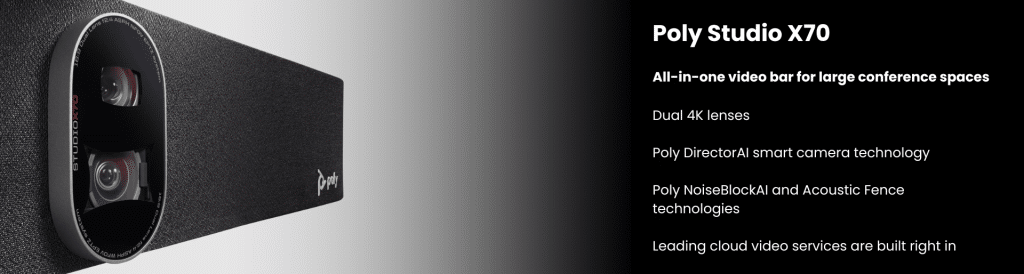
HP Poly Studio X70, all-in-one video bar, offers quality audio and video performance in large meeting spaces. Enjoy pinpoint-accurate automatic framing and tracking modes, distraction-free audio technology, and lifelike 4K UltraHD video.
Complete Video Conferencing Solutions for Every Business Need
Every workplace has unique priorities. That’s why Mitronics offers complete video conferencing solutions designed to suit a wide range of industries and team sizes. Our bundled systems make it easy to get started.
- Enterprises & Large Organisations: Feature-rich systems with multi-camera setups and centralised control.
- Start-ups & Small Businesses: Scalable video conferencing kits that are cost-effective now and flexible as you grow.
- Education & Healthcare: Secure, reliable solutions designed for high engagement and ease of use.
We also give you the flexibility to choose between single-vendor packages for streamlined simplicity or multi-vendor setups, where you can mix and match the best technology for your needs.
The right choice depends on your room size, meeting style, and budget – but for most professional settings, external equipment offers the reliability and quality businesses need
How to Optimise Your Workspace for Video Calls?
Even with the best video conferencing equipment, your environment plays a major role in how professional your calls look and sound.
- Lighting: Position light sources in front of you to illuminate your face. Natural light works best, but a desk lamp or ring light will help avoid shadows.
- Camera Placement: Keep your camera at eye level for a natural perspective. Tilting it too high or too low can look unflattering and distracting.
- Audio Setup: If your space echoes, use acoustic panels, rugs, or curtains to soften sound. A quality speakerphone/headset or external microphone will also improve clarity.
- Background: Keep your backdrop clean and uncluttered. Neutral walls, branded signage, or virtual corporate backgrounds help maintain a professional image.
Optimising your workspace doesn’t need to be complicated, it’s about creating a setting that enhances communication – not distracts from it.
Why Choose Mitronics for Video Conferencing Equipment?
Choosing the right equipment is only half the story. The real difference comes from working with a partner who understands your business.
- Proven expertise: With decades of experience in workplace technology, Mitronics has helped thousands of Australian organisations modernise communication.
- Trusted brands: We partner with global leaders like Sony, Samsung, and LG to deliver the latest, most reliable solutions.
- End-to-end support: From consultation and installation to training and ongoing service, our team ensures your systems perform flawlessly.
- Australia-wide coverage: No matter where you’re based, Mitronics provides local support backed by national scale
Conclusion
The future of work is hybrid – and businesses that embrace it with the right technology will thrive. Selecting the right video conferencing system for your office or meeting room empowers your team to collaborate effectively, impress clients, and make smarter decisions.
With Mitronics’ expertise, Australia-wide support, and access to leading global brands, you’re not just buying equipment – you’re investing in a long-term strategy for smoother, smarter communication.
Ready to take your meetings to the next level?
Explore Mitronics’ complete range of video conferencing solutions today and find the perfect fit for your business.