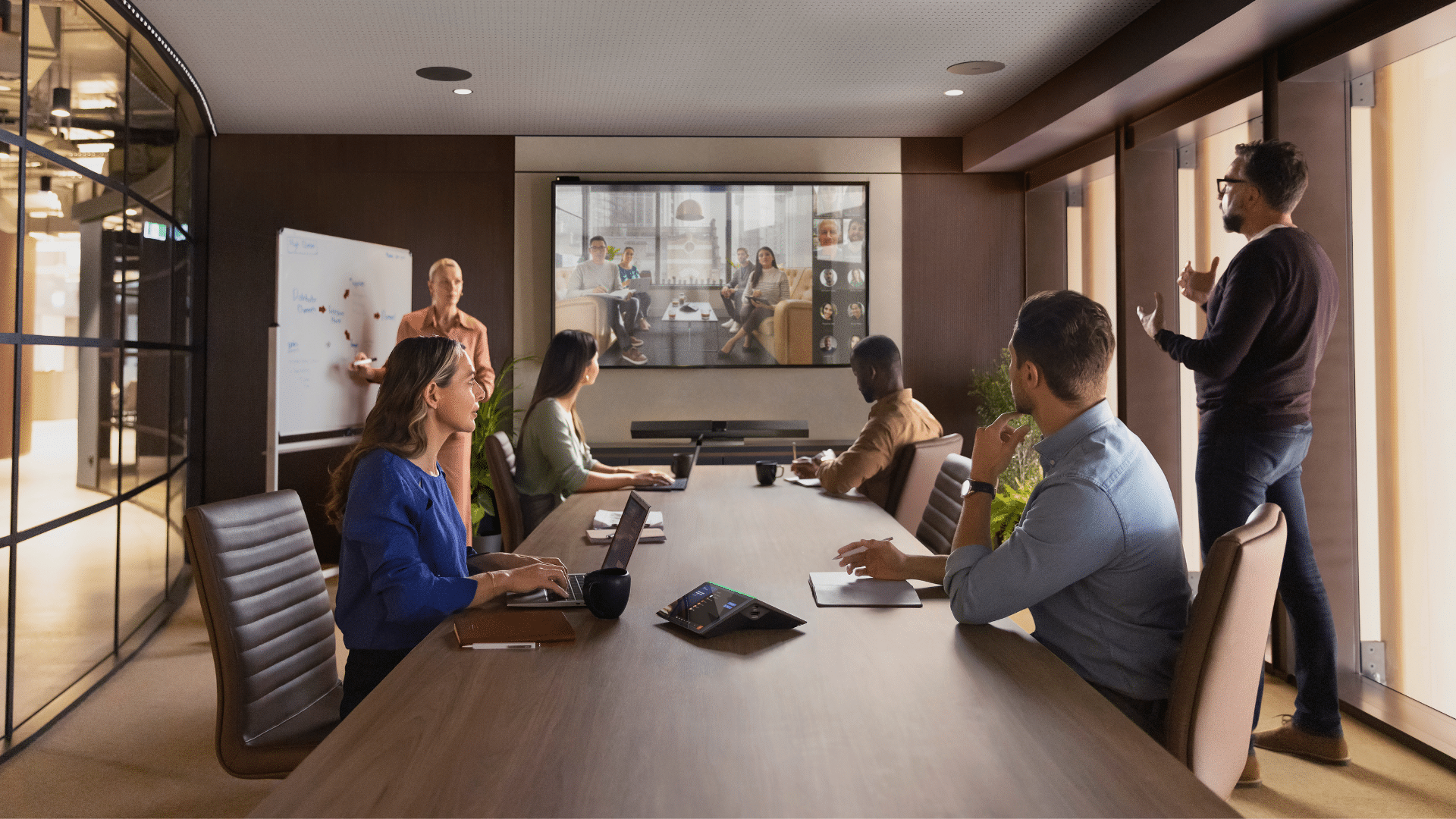


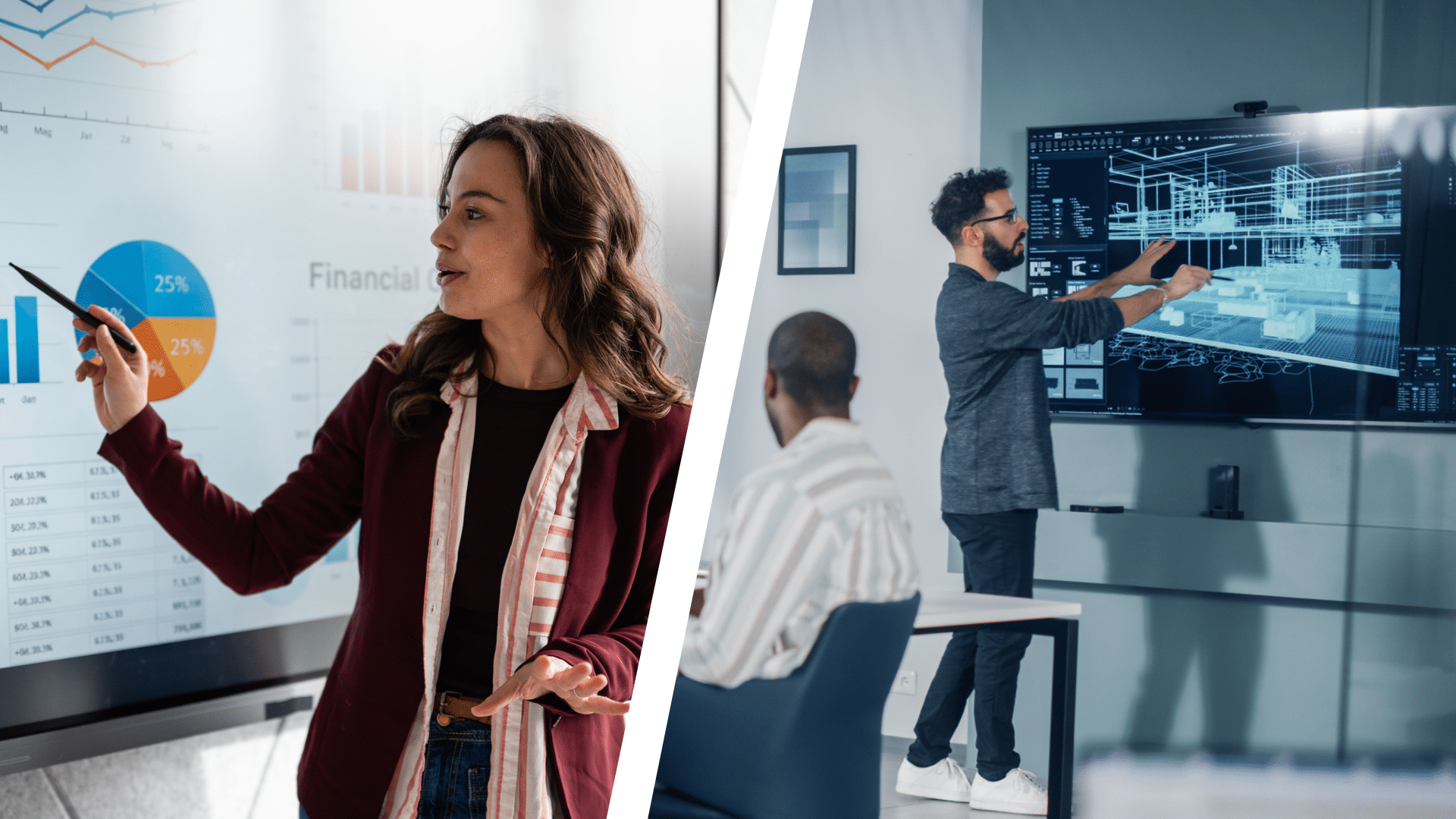
Since their introduction in the 1990s, interactive whiteboards have been widely used in meeting rooms, classrooms, and training environments to bring digital content into collaborative spaces.
By combining a touch-sensitive board with a projector and a computer, teams could write notes, annotate documents, and highlight key information in real time.
Since then, the technology has continued to evolve with many organisations transitioning to interactive screens (interactive flat panel displays). These all-in-one touch displays combine a high-resolution screen, built-in computing, and digital whiteboard tools in a single device.
While both technologies allow users to interact with digital content, the interactive screen vs interactive whiteboard comparison highlights important differences in how they work and where they are best used.
We’ll explain the key differences between interactive screens and interactive whiteboards, including how they work and which option may suit your environment.
What is an Interactive Whiteboard?
An interactive whiteboard (IWB) is a touch-sensitive display surface that allows users to interact with digital content projected onto the board. They usually require three components:
- a whiteboard surface
- a projector
- and a connected computer
The projector displays the computer screen onto the board, while sensors in the board detect touch or stylus input. This made it a great tool for corporate training environments and classrooms where presenters could interact with digital material while facing their audience.
You may also hear the term “SMART Board” used when referring to this technology. Originally developed by SMART Technologies, SMART Board referred to projector-based interactive whiteboards. However, the term is now often used to describe modern interactive displays.
For example, devices such as the SMART Board MX Pro 75” Interactive Whiteboard Screen combine touchscreen interaction, high-resolution displays, and built-in collaboration tools into a single device.
What is an Interactive Screen?
An interactive screen (also known as an interactive flat-panel display) is a large touchscreen display that allows users to write, draw, and interact with digital content.
Unlike an interactive whiteboard, interactive screens do not require a projector or external computer. Instead, they combine the display, computing power, and touch capabilities into a single device.
In practice, this means a team leader can walk into a meeting room, connect their laptop, and begin presenting or brainstorming directly on the screen. This makes interactive screens useful for strategy sessions, project planning, or training workshops where visual collaboration is important.
Because everything is combined into one, interactive screens are generally easier to set up and maintain than interactive whiteboards.

Lease/Rent/Buy BenQ Board Master 75-inch Interactive Whiteboard Screen For Business & Conferencing
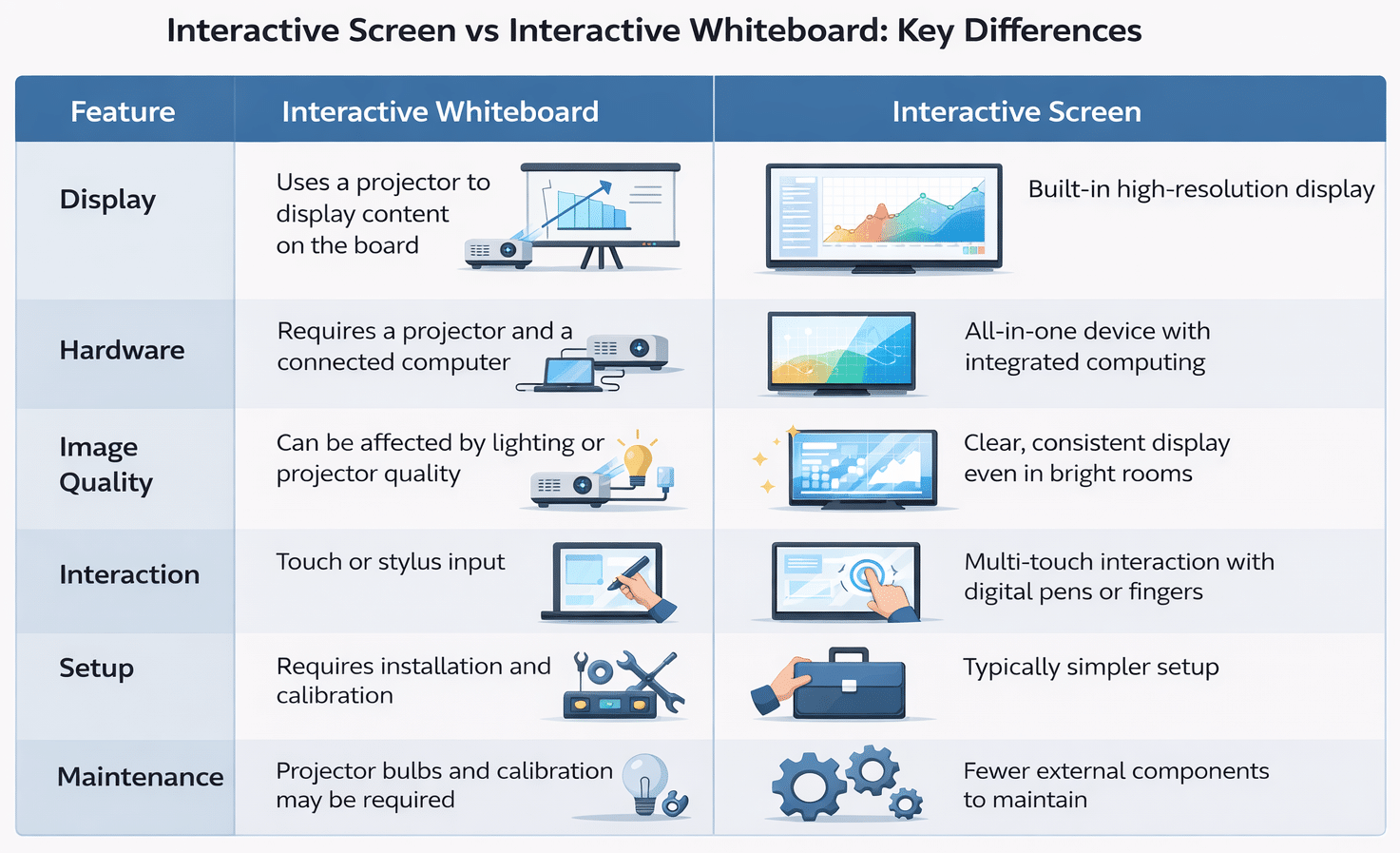
Interactive Screen vs Interactive Whiteboard: Key Differences
| Feature | Interactive Whiteboard | Interactive Screen |
| Display | Uses a projector to display content on the board | Built-in high-resolution display |
| Hardware | Requires a projector and a connected computer | All-in-one device with integrated computing |
| Image Quality | Can be affected by lighting or projector quality | Clear, consistent display even in bright rooms |
| Interaction | Touch or stylus input | Multi-touch interaction with digital pens or fingers |
| Setup | Requires installation and calibration | Typically simpler setup |
| Maintenance | Projector bulbs and calibration may be required | Fewer external components to maintain |
Advantages of Interactive Screens
1. Higher Display Quality
Interactive screens use LED or LCD display panels, often with 4K resolution. This results in clearer text, sharper graphics, and better colour accuracy than projector-based systems. Because the image is generated directly by the display rather than projected, it isn’t affected by ambient lighting in the room. This makes interactive screens a great choice for meeting rooms and classrooms with natural light.
2. All-in-One Design
Unlike interactive whiteboards that rely on several components, interactive screens combine the necessary parts into a single device. This makes installation simpler and reduces the number of devices that need to be serviced.
3. Multi-Touch Collaboration
Interactive screens can often integrate with video conferencing platforms and other cloud-based collaboration tools.
For example, during a hybrid meeting, a team might display a presentation on the screen, annotate key points, and then save the content to share with remote participants afterwards.
When Interactive Whiteboards Might Be Used
While many organisations are now using interactive screens, interactive whiteboards can still be a good option in some environments.
For organisations that already have a projector-based setup, upgrading to a newer interactive whiteboard may be more cost-effective without changing the entire system.
Interactive whiteboards can also work well in large teaching spaces where a projected image can be displayed on a very large surface.
Many Australian schools, for example, still use interactive whiteboards installed during large technology rollouts in the 2000s and early 2010s. Because the equipment is already installed, schools often find it more cost-effective to continue using this technology for lesson slides and annotated diagrams.
How Interactive Displays Are Used in Modern Workplaces
Interactive displays are often used in forward-thinking businesses to support more productive meetings.
According to a report highlighted by the HR Leader, workers can lose up to three hours each week in unnecessary meetings, often due to unclear communication or inefficient collaboration.
Interactive displays help address this by allowing teams to brainstorm visually and share ideas clearly during discussions.
Interactive displays are used across many industries to support more efficient communication.
In education, teachers often use them to annotate lesson content. In engineering and architecture firms, teams can display building plans or technical drawings and mark up design changes during project reviews. Corporate teams often use interactive screens during strategy meetings or training workshops. Government departments and planning teams also use them to review maps and infrastructure plans.
Choosing the Right Interactive Display for Your Space
Not all interactive displays are the same, and selecting the right one depends on how you plan to use the technology. Things like room size and software compatibility can all influence which display will work best for your organisation.
- Room Size and Screen Visibility
The room’s size should play an important role in determining the display size. A screen that appears large in a showroom may be difficult to see clearly in a larger meeting room where participants are seated further away. - Software Compatibility
Many organisations rely on platforms such as Microsoft Teams, Zoom, or Google Workspace for communication. Making sure the display integrates with the tools you use is a key factor. - Connectivity and Device Sharing
Modern interactive displays often support wireless screen sharing from laptops, tablets, and smartphones. This allows participants to share content quickly during meetings without needing to connect cables, helping meetings start and run smoothly.
Mitronics offers a range of interactive display solutions from leading brands. If you’re unsure which interactive display is right for your workspace, our team can provide expert advice on selecting the best technology for your needs.
Speak with Mitronics about the right interactive display for your workspace.
What is the difference between an interactive screen and an interactive whiteboard?
Interactive whiteboards rely on projectors and external computers, while interactive screens are all-in-one touch displays with built-in computing and high-resolution panels.
Are interactive screens replacing interactive whiteboards?
Many organisations are transitioning to interactive screens because they offer better display quality and lower maintenance.
Do interactive whiteboards require a projector?
Most traditional interactive whiteboards use projectors to display content onto the board surface.
Are interactive screens better for meeting rooms?
Interactive screens are often preferred for modern meeting rooms because they better support hybrid collaboration.
Disclaimer: This article may include AI-generated or AI-assisted images created for visual representation and informational purposes only. These images are intended to enhance user understanding and may not depict real-world objects, individuals, or scenarios.

Roger Amir is the Director of Mitronics Corporation Australia, a leading provider of Office Equipment Supplies, Technology, Photocopiers, and Managed IT Services. He oversees strategic operations, helping Australian businesses optimise their workflows and drive productivity. Roger’s expertise focuses on tailored technology strategies, document management, and business efficiency. Connect with him on LinkedIn.