

Musculoskeletal conditions remain a leading cause of serious workers’ compensation claims in Australia (Safe Work Australia), yet many workplaces still approach ergonomics as though it begins and ends with the chair.
Australian workers spend about 76% of their workday sitting. Long hours at a desk and constant screen exposure have created a kind of strain that often shows up as tight shoulders, tired eyes, and the low-grade fatigue that many people have come to accept as normal.
Workplaces are beginning to recognise that comfort is not a luxury, but a prerequisite for sustained performance. In 2026, true ergonomics is a balance of physical support and digital health. No longer defined by a single chair, it’s shaped by how your entire workplace works for you: how your desk allows for movement, how screens are positioned to reduce strain, and how high-performance devices help ease the digital fatigue that has become the norm.

Buy, Rent, Lease Ergonomic Chair
Click to read the section:
- What a High-Performance Workspace Looks Like
- What an Ergonomic Setup Looks Like
- Where High-Performance Laptops Fit In
- The Cost of Ignoring Ergonomics
- Common Conditions and Strain Patterns Linked to Poor Ergonomics
What a High-Performance Workspace Looks Like
A high-performing workspace is not built around a single ergonomic chair but rather the result of many deliberate choices working together.
We can think of ergonomics as having two connected layers: physical support and digital health.
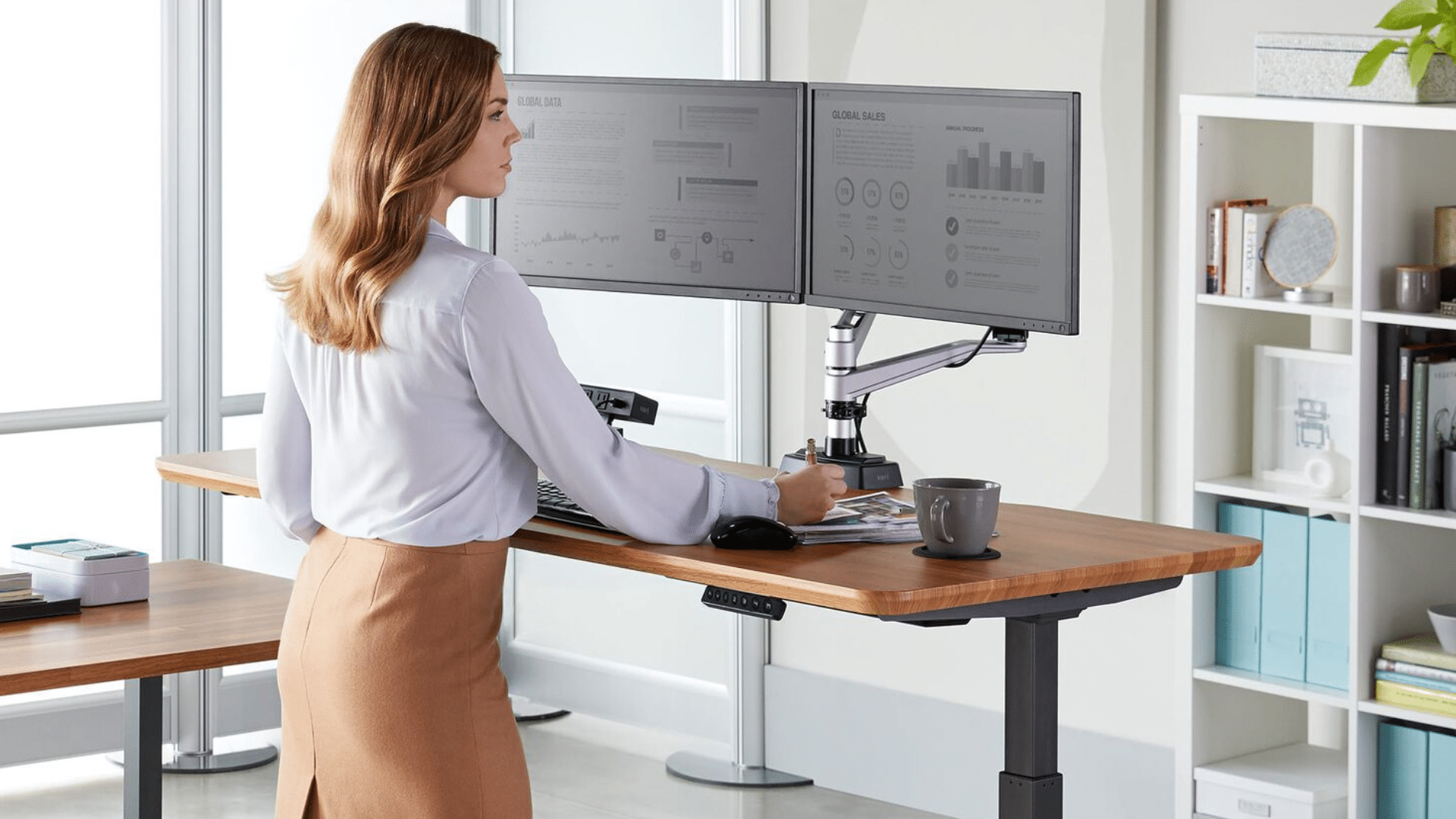
At the physical level, that means creating a setup that allows the body to move, reset, and work in different positions throughout the day. An electric sit-to-stand desk is part of that picture, not as a trend but as a practical way to introduce variation to an otherwise static workday.
The M&R Vertilift, for example, offers smooth height adjustment, programmable memory settings, and soft start-stop functionality, which allows users to transition between sitting and standing with minimal interruption.
Current workplace guidance emphasises avoiding prolonged static postures and encouraging regular changes in position instead.
But physical support is only one part of the picture. The second layer is digital health, which supports focus, visual comfort, and mental energy. This is where the right tech setup is just as important as the furniture.
This is where dual monitors and high-performance devices earn their place. Dual screens mounted on adjustable arms do more than create extra screen space. They make it easier to position screens at a more natural line of sight, helping to reduce the awkward postures and visual strain that can build up over time.
The digital components extend to high-performance devices, such as the HP EliteBook or Dell Latitude laptops. Fast, reliable devices can help remove the low-level friction of lag, loading delays, and interruptions that can quietly wear down concentration.
The real value doesn’t lie in a single piece of furniture or technology, but rather in how each piece fits together.
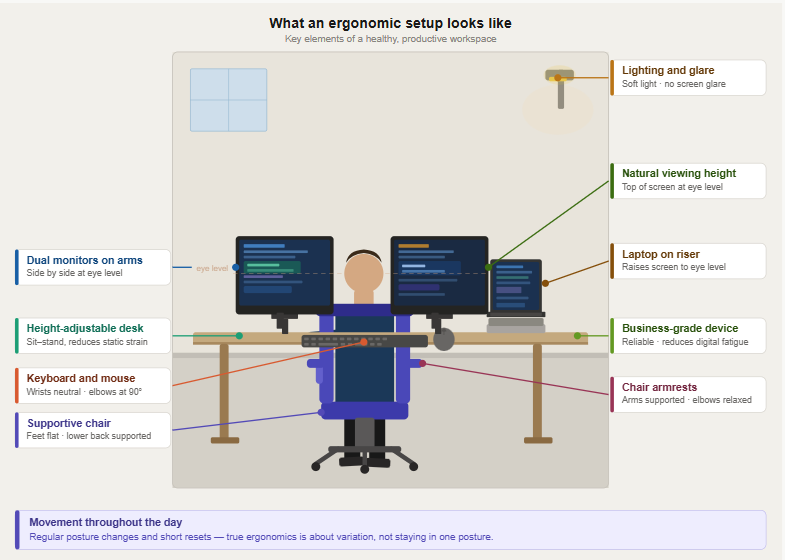
What an Ergonomic Setup Looks Like
| Element | What to aim for | Why it matters |
|---|---|---|
| Height-adjustable desk | A desk that allows transitions between sitting and standing. | Helps reduce prolonged time in a single static position and supports greater movement throughout the workday. |
| Supportive chair | Chair adjusted to seat you flat, knees are roughly level with hips. | Creates a stable base and helps reduce strain through the lower back. |
| Monitor setup | Eyes level with or just below the top of the screen. | Helps reduce awkward neck posture and visual strain over prolonged screen work. |
| Dual monitors vs arms | Monitors side by side, slightly angled towards the user. | Supports smoother task switching and a more comfortable visual setup. |
| Laptop setup | If using a laptop for long periods, use a stand and external keyboard/mouse. | Avoids the “head down” posture and supports a more neutral body alignment. |
| Keyboard and mouse | Positioned within easy reach, elbows close to body. | Helps reduce unnecessary reaching and tension through shoulders and arms. |
| High-performance laptop | Reliable business-grade device with adequate processing power. | Reduces lag, delays, and frustration, and can also adapt to tasks. |
| Lighting and glare | Minimise glare on screens and ensure good ambient lighting. | Supports visual comfort and reduces eye fatigue. |
| Movement throughout the day | Regular posture changes, short breaks, and variation in position. | True ergonomic setup isn’t static—movement and variation are essential. |
Ergonomics 2.0
For years, ergonomics was largely treated as a question of furniture. If the chair was supportive and the desk was well set up, the space was deemed sufficient.
The modern work environment demands more than that. Today’s work has become more digitally intensive and screen-heavy than many workplaces were designed for. Sitting for long periods remains common in Australian workplaces, which is why the old definition of ergonomics feels increasingly incomplete.
Ergonomics 2.0 reflects a broader idea of workplace design. It should no longer only reduce physical strain, but also create the conditions for better concentration, smoother workflows, and a workday that feels less taxing on the body and mind.
Read more: How to Choose the Right Ergonomic Office Chair
Where High-Performance Laptops Fit In
Part of Ergonomics 2.0 is shaped by the devices that people use daily. A laptop designed for business environments, such as the HP EliteBook 8 G1i 14” Ultra 7-255U Business Laptop, supports that digital layer in more subtle ways.
Features such as anti-glare displays, low-blue-light settings, and a taller 16:10 screen ratio can contribute to a more comfortable viewing experience, particularly during long periods of screen-based work. They are not ergonomic solutions in the same way as a sit-to-stand desk or a monitor arm, but they do affect visual comfort and concentration.
Of course, a laptop alone is not enough for an ergonomic setup. But when paired with external monitors, a riser, a keyboard, and a mouse, it becomes part of an ergonomic workspace.
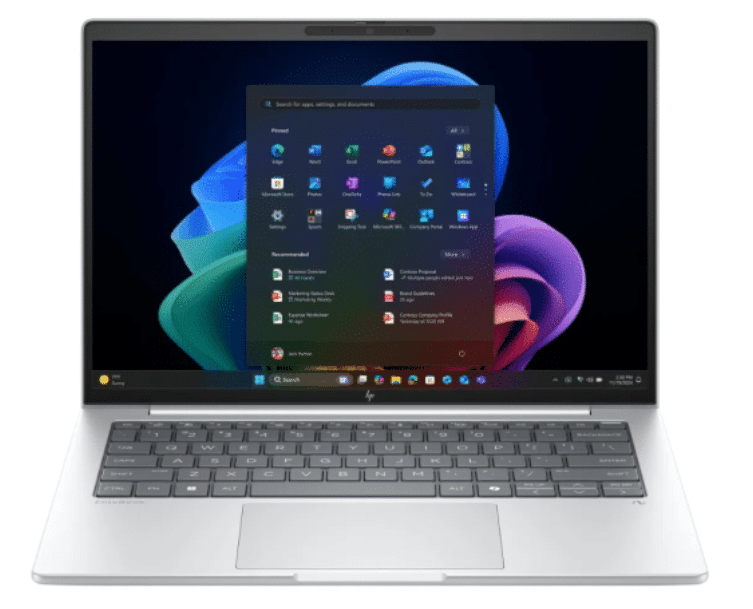
With its 14-inch WUXGA anti-glare display, 16:10 aspect ratio, and responsive Intel Core Ultra 7 performance, the HP EliteBook 8 G1i is designed for clearer viewing and reliable day-to-day productivity.
The Cost of Ignoring Ergonomics
The cost of ignoring ergonomics isn’t immediately obvious. More often, the strain builds slowly, resulting in decreased focus and more time away from work.
In Australia, musculoskeletal disorders remain the leading cause of workers’ compensation claims, accounting for more than half of all claims.
The cost is not only physical. It’s operational. Median time lost from work-related injury and illness has been increasing, with more than one in five accepted claims involving 13 weeks or more off work in 2021-22.
Common Conditions and Strain Patterns Linked to Poor Ergonomics:
- Neck and shoulder pain: Incorrect monitor height can lead to neck and shoulder strain.
- Back pain: Prolonged sitting and poorly adjusted workstations can lead to back pain.
- Digital eye strain/computer vision syndrome: Prolonged screen use is associated with symptoms such as dry eyes, blurred vision, headaches, watering, and visual fatigue.
- Headaches linked to screen strain: Headaches are commonly reported alongside prolonged screen use and digital eye strain.
- Musculoskeletal disorders (MSDs): At a broader level, poor workstation design and prolonged static postures contribute to musculoskeletal strain.
- Fatigue: Sedentary work poses significant health risks, as Australian workers spend long periods sitting.
Read more: How Ergonomic Office Chairs Can Help Fight Back Pain and Office Stress
Need Help Designing Ergonomic Workspaces?
In 2026, ergonomics has become a much broader conversation than it once was. For businesses, it is no longer just about providing a better chair or upgrading a desk. It’s about creating a workspace that supports how people actually work.
For office managers, IT teams, and business leaders, that means thinking more holistically about workplace design. The right combination of ergonomic furniture, monitor setups, business-grade devices, and reliable technology can make a big difference to comfort and everyday performance.
Mitronics helps businesses bring those elements together into one cohesive solution. A well-designed office fit-out, paired with managed IT, can help reduce both physical and digital strain, enabling teams to work with greater comfort and fewer unnecessary interruptions throughout the day.
Contact Mitronics about designing a workspace that works better for your team.

Roger Amir is the Director of Mitronics Corporation Australia, a leading provider of Office Equipment Supplies, Technology, Photocopiers, and Managed IT Services. He oversees strategic operations, helping Australian businesses optimise their workflows and drive productivity. Roger’s expertise focuses on tailored technology strategies, document management, and business efficiency. Connect with him on LinkedIn.