

Choosing a laptop for your small business can be confusing with so many options.
There are thousands of business laptops on the market, each with different specifications, performance tiers, and price points. On paper, many of them look almost identical. In practice, they can deliver completely different experiences.
Research shows that Australian small businesses continue to lag behind their Asia-Pacific peers in technology adoption and productivity, reinforcing the need to invest in devices that genuinely support their business operations.
In this guide, we’ll shift the focus away from features and towards real-world use. We’ll break down how different roles within a business use their devices, and how to choose a laptop that supports those demands.
Admin and Support Staff
In most small businesses, these are the people who keep daily operations running.
This includes reception, administration, and customer support. Work that revolves around email, Microsoft 365, and internal platforms.
For these roles, the priority isn’t high-performance. Its reliability. Laptops should be stable and able to handle consistent everyday workloads without delays.
What to Look for:
- A mid-range processor that can comfortably handle everyday business applications
- Around 8GB of RAM for smooth performance across a few open programs
- Solid-state storage (SSD) for faster start-up and file access
- A reliable build and battery life that supports full workdays
Dell Pro 14 Plus 14-inch Ultra 5 Business Laptop
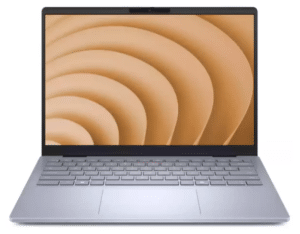
The Dell Pro 14 Plus sits slightly above the typical entry-level tier, but that’s what makes it a strong fit for many admin and support roles. With an Intel Core Ultra 5 processor, 16GB of memory, and a fast SSD, it handles everyday tasks smoothly.
Managers and Sales Teams
Managers and Sales Teams often move between emails, spreadsheets, CRMs, video calls, and browser tabs. It’s less about complex software, and more about how many apps are running at the same time.
A sales call might involve screen-sharing a proposal, updating a CRM, and referencing notes. In many cases, the laptop is constantly switching between tasks.
What to Look for:
- A strong processor (Intel Core Ultra 5/7 or equivalent)
- At least 16GB of RAM so you can easily switch between spreadsheets, CRMs, and browser tabs
- Fast SSD storage (512GB or more) for quicker load times when opening large files
- Reliable connectivity and ports (Wi-Fi 6/7, USB-C, HDMI) to support video calls and external displays
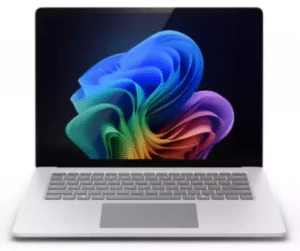
Rent, lease (12 months+), or Buy Microsoft Surface Business Laptop
The Microsoft Business Laptop is well-suited to managers and sales teams who are constantly moving between tasks. Built with Intel Core Ultra processors, fast SSD storage, and high-resolution displays, it handles the kind of overlapping work that these roles execute daily. The larger 15-inch screen also makes it easier to work across multiple documents or presentations at once.
Finance and Operations
Finance and operations teams tend to work with larger datasets, more complex spreadsheets, and multiple systems running at once. This could include financial modeling, reporting dashboards, ERP systems, or tracking data across different platforms.
Finance and operations teams need laptops that can handle the load.
Large Excel models and constantly running calculations can be resource-intensive. When devices aren’t equipped for this, files take longer to open, and overall responsiveness declines.
What to Look for:
- A high-performance processor (Intel Core Ultra 7 or equivalent) to handle large spreadsheets and calculations
- 16GB-32GB of RAM to keep complex Excel models and dashboards responsive
- Fast SSD storage (512GB – 1TB) for quicker load times
- A business-grade device built for sustained use
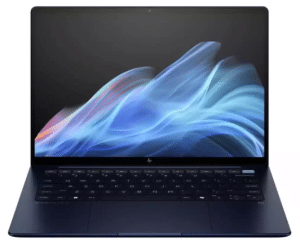
Rent, lease (12 months+), or Buy HP EliteBook Ultra G1i
The HP Elitebook Ultra GLi is designed for finance and operations roles where workloads are heavier and more consistent throughout the day. With Intel Core Ultra processors, fast memory, and SSD storage, it handles large spreadsheets, calculations, and multiple systems without lag or delay. Its business-grade design means it’s built for stability and long-term reliability.
Read more: How to Choose the Best HP Business Laptop: EliteBook vs ProBook vs ZBook
Creative and Technical Roles
Creative and technical roles often work with demanding software. That includes design tools, video editing, CAD software, and development environments. These applications require laptops that can handle more intensive processing, as high-resolution assets all place greater demand on both processing power and graphics performance.
Applications like Adobe Premiere Pro rely heavily on both processing power and graphics performance, particularly when working with high-resolution video.
What to Look for:
- A high-performance processor (Intel Core Ultra 7 or equivalent) to handle demanding applications
- 16GB-32GB of RAM to work smoothly with large files and multiple creative files
- Dedicated or high-performance integrated graphics for design and video editing
- Fast SSD storage (1TB or more) for storing large assets and reducing load and export times
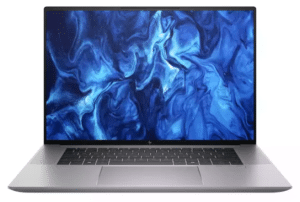
Rent, lease (12 months+), or Buy HP ZBook Studio G11 16-inch Ultra 9 Business Laptop
The HP ZBook Studio G11 is a great choice for creative and technical work. With high-performance Intel Core Ultra processors, dedicated graphics, and fast memory and storage, it’s built to handle demanding workloads.
The high-quality display also supports more accurate visuals – critical for design and content work.
Choosing the Right Laptop
| Role | Typical Work | Where Laptops Struggle | What to Prioritise | Recommended Device |
|---|---|---|---|---|
| Admin & Support | Email, Microsoft 365, internal systems | Slow startup, lag with multiple apps | Reliability, SSD, consistent performance | Dell Pro 14 Plus 14″ Ultra 5 |
| Managers & Sales | CRM, spreadsheets, video calls, multitasking | Lag when switching apps, slow calls | 16GB RAM, strong processor, portability | Microsoft Surface 7 15″ |
| Finance & Operations | Large spreadsheets, reporting, multiple systems | Slow calculations, delayed file loading | High-performance CPU, 16 – 32GB RAM | HP EliteBook Ultra G1i |
| Creative & Technical | Design, video editing, CAD, development | Slow rendering, export delays, lag | Dedicated graphics, high performance | HP ZBook Studio G11 |
Read more: Laptop Buying Guide: Entry-Level vs. High-End Laptops
Choosing the Right Setup for Your Business
You should now have a better idea of what to look for in a laptop based on your business use. However, in reality, small businesses don’t usually buy devices on a role-by-role basis. Instead, they look for a setup that works across the team.
This means selecting one or two models that offer a good balance of performance and cost. For example, a business might buy two models for its entire team. One for admin and support roles, and a higher-end option for teams working with larger datasets or more demanding software.
The key is understanding what devices will deliver the capabilities your small business needs without overinvesting.
Need Help Choosing the Right Laptops for Your Team?
Every small business works differently, and choosing the right laptop isn’t always clear. Especially when you have many different roles across your organisation.
If you’re unsure what level of performance your team actually needs, the Mitronics team can point you in the right direction. From selecting the right models to balancing performance and budget.
Contact our specialist to find the right laptops for your team.

Roger Amir is the Director of Mitronics Corporation Australia, a leading provider of Office Equipment Supplies, Technology, Photocopiers, and Managed IT Services. He oversees strategic operations, helping Australian businesses optimise their workflows and drive productivity. Roger’s expertise focuses on tailored technology strategies, document management, and business efficiency. Connect with him on LinkedIn.